
Reviews
Deine Folien sind meine 'geheime Zutat', wenn es darum geht, meine Ideen Kunden zu visualisieren. Ich spare so viel Zeit.
Ihre Folien führen oft zu guten Kommentaren und Ideen meines Teams, die die endgültigen Folien verbessern.
Description
Flat Icons Set – Business
Slide Content
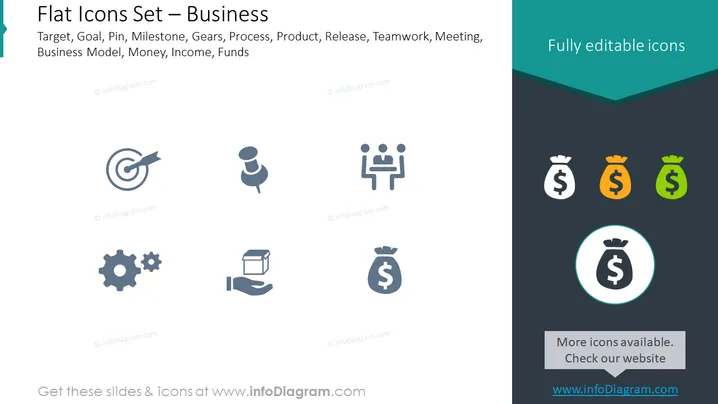
This PowerPoint slide presents a collection of business-related flat icons, which can be fully edited. The icons represent common business themes and processes such as Target, Goal, Pin, Milestone, Gears (denoting mechanics or workings of a system), Process, Product, Release, Teamwork, Meeting, Business Model, Money, Income, and Funds. Each icon is a graphic symbol for respective business concepts that are often used in presentations or documents to convey specific ideas succinctly and visually.
Graphical Look
- The slide background is split diagonally from the top right corner to the bottom left with a darker shade of teal on the right side.
- On the left, a series of eight grey icons are evenly spaced in two columns.
- On the right, three money bag icons are displayed in white, orange, and green colors, with a larger highlighted money bag icon below them, encircled in a light blue ring.
- Above the right icons, a text box with a teal background and a white text 'Fully editable icons' is presented.
- A dark grey text box below on the right side contains the text 'More icons available. Check our website' with the website URL.
The slide is designed with a clean and modern aesthetic, employing a flat design style for the icons. The choice of a gray and teal color palette provides a professional and crisp appearance, and the highlighted icon illustrates the option to draw attention to a specific element.
Use Cases
- To visually communicate different aspects of a business plan or strategy in presentations.
- To enhance sections of a report or document with relevant icons for quick identification.
- To use as navigational markers in interactive media or digital presentations for different business topics.
- To provide a visual guide during brainstorming sessions or workshops, using the icons to represent various discussion points or agenda items.
How to Edit
How to edit text & colors

How to expand / shorten diagram

How to Replace Icons in infoDiagram PPT


