
Reviews
Sus gráficos añaden un toque agradable a mis presentaciones y recientemente los usé para una de mis reuniones generales. Su conjunto de herramientas añade profesionalismo a mis diapositivas. En lugar de usar imágenes prediseñadas estándar.
Necesitaba un aspecto fresco para algunas de mis diapositivas. Había intentado encontrar una forma de crear un efecto de pincel, de subrayar, acentuar, añadir algo de color y los marcadores escritos a mano fueron justo lo que necesitaba. Muy fácil de usar, fácil de ajustar el tamaño, cambiar el color. Fue una solución asequible y perfecta, y estoy feliz de recomendarla.
El aspecto nítido y limpio de los gráficos, y el hecho de que me permitiera editar y cambiar fácilmente los colores para que coincidieran con la plantilla fue mi principal razón para comprarlos.
Description
Flat Icons Set – General Business
Slide Content
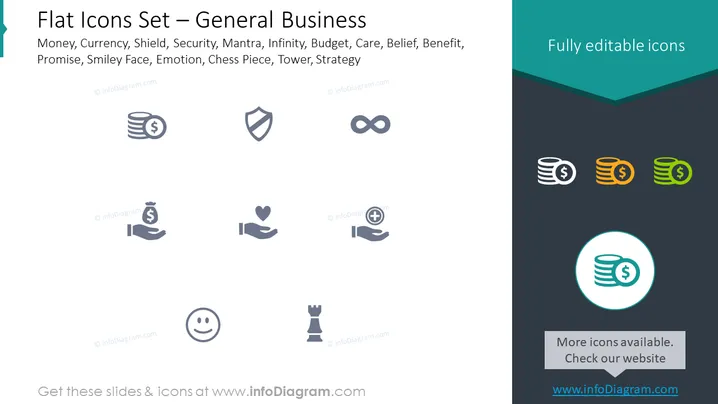
The PowerPoint slide, titled "Flat Icons Set – General Business," contains a collection of icons that symbolize various business concepts. Money and currency icons suggest financial transactions and capital. A shield icon represents security or protection. An infinity symbol might refer to limitless possibilities or a long-term perspective. A heart in hands implies care, support, or customer service. Two shaking hands signify agreement or partnership. A smiley face could denote customer satisfaction or positive emotions. Lastly, a chess piece points to strategy, planning, or competition.
Graphical Look
- The slide background is split diagonally with a light gray upper portion and a dark gray lower portion with a teal header on the top.
- There are eight flat-style business-related icons placed in the lighter area of the slide, arranged in two rows of four. The icons are simple and monochromatic.
- The icons include, from left to right, top to bottom: a stack of coins, a shield, an infinity loop, two stacking coins changing color gradient from left to right: grey, orange, and green, a hand holding a heart, two hands ready to shake, a smiley face, and a chess rook.
- A blue circle highlighting a stack of coins icon is separately positioned on the right side of the slide over the dark gray section, implying focus or emphasis.
- At the top right of the slide, there's a teal-colored banner with the text "Fully editable icons" in white.
- The bottom of the slide features a gray rectangle with text inviting viewers to check more icons on their website.
The slide exhibits a modern and clean design with a professional color scheme and layout that emphasizes the icons. The stark contrast between the background colors creates a clear division for the icon section and the additional informational text.
Use Cases
- Introducing graphical elements in a business presentation to visually communicate concepts such as finance, security, continuity, care, agreements, positive outcomes, and strategic planning.
- Enhancing educational materials for business courses or corporate training, by using icons to represent key ideas and facilitate memory retention.
- Creating marketing or sales materials where visual icons can quickly convey the benefits or features of a product or service.
- Designing company reports or documents, where icons can serve as visual aids to draw attention to specific sections or to break up text-heavy content.
How to Edit
How to edit text & colors

How to expand / shorten diagram

How to Replace Icons in infoDiagram PPT


