
Reviews
Sus gráficos añaden un toque agradable a mis presentaciones y recientemente los usé para una de mis reuniones generales. Su conjunto de herramientas añade profesionalismo a mis diapositivas. En lugar de usar imágenes prediseñadas estándar.
Necesitaba un aspecto fresco para algunas de mis diapositivas. Había intentado encontrar una forma de crear un efecto de pincel, de subrayar, acentuar, añadir algo de color y los marcadores escritos a mano fueron justo lo que necesitaba. Muy fácil de usar, fácil de ajustar el tamaño, cambiar el color. Fue una solución asequible y perfecta, y estoy feliz de recomendarla.
El aspecto nítido y limpio de los gráficos, y el hecho de que me permitiera editar y cambiar fácilmente los colores para que coincidieran con la plantilla fue mi principal razón para comprarlos.
Description
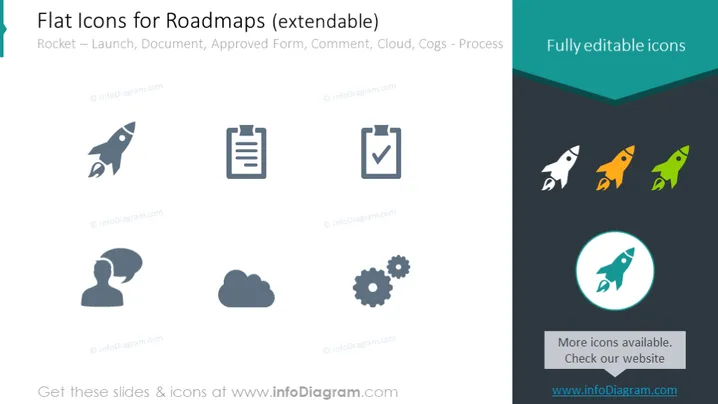
Flat Icons for Roadmaps (extendable)
Slide Content
The PowerPoint slide titled "Flat Icons for Roadmaps (extendable)" presents a collection of various flat design icons related to project roadmaps. The icons include a Rocket symbolizing Launch, a Document icon for Documentation, a checkmark on paper representing an Approved Form, a speech bubble with ellipses for Comment, a Cloud graphic for Cloud-based processes, and Cogs for Mechanical or Process Work. Each icon serves as a visual shorthand to convey a specific concept or stage in a roadmap, making complex processes easier to understand visually.
Graphical Look
- The slide background is white, providing a neutral canvas for the icons.
- At the top, the title is written in dark grey.
- There is a prominent turquoise rectangular shape at the top with the phrase "Fully editable icons."
- Six icons are evenly spaced horizontally across the slide, three on the top row and three on the bottom row.
- The icons are grey, except for three additional colored versions of the rocket icon on the right side.
- Two stylized text blocks highlight the extendability of the icons and direct viewers to check the website for more.
- Each icon is accompanied by a small text descriptor.
- The bottom right features a round icon with blue background emphasizing one highlighted rocket icon with an outer circle.
The slide has a clean and modern aesthetic with a simple color palette dominated by grey and accented with turquoise and blue. It's designed to be clear and visually appealing, making it easy for the audience to identify each of the represented concepts.
Use Cases
- To present the stages or milestones in a project roadmap during a business meeting or strategy session.
- For illustrating workflow processes in documentation or project management materials.
- As part of a presentation to stakeholders to visually describe the components of a project plan.
- To enhance visual communication in marketing materials that outline the rollout of a new product or service.
How to Edit
How to edit text & colors

How to expand / shorten diagram

How to Replace Icons in infoDiagram PPT


