
Reviews
Your graphics add a nice touch to my presentations and I recently used them for one of my all-hands meetings. Your toolbox adds professionalism to my slides. Instead of using standard clipart.
I needed a fresh look at some of my slides. I've tried to find a way to create a paintbrush effect, to underline, accentuate, add some color and the handwritten markers were just the things. Very easy to use, easy to size, change the color. It was an affordable, perfect solution and I'm happy to recommend it.
The crisp, clean look of the graphics, and the fact that it allowed me to easily edit and change the colors to match the template was my main reason for purchasing them.
Description
Employee Performance Review Icons Planning
Slide Content
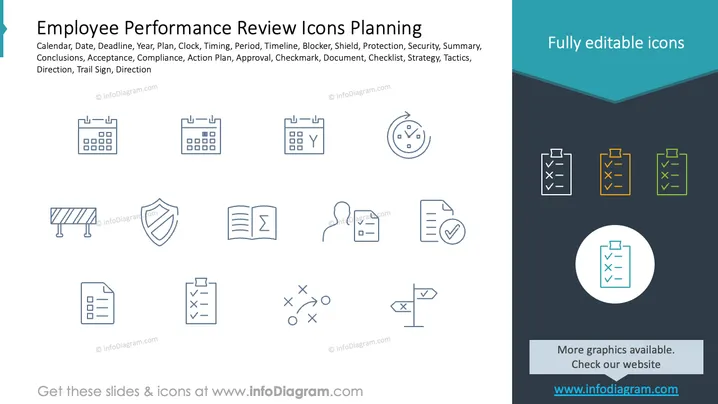
The slide appears to be part of a presentation about planning for employee performance reviews, specifically highlighting icons that can be used to represent various concepts related to this process. These include Calendar (scheduling dates), Date (specific days), Deadline (final dates for submission or completion), Year (annual timeline), Plan (strategies for evaluation), Clock (time tracking), Timing (choosing the right moment), Period (evaluation phases), Timeline (chronological order), Blocker (obstacles), Shield (protection measures), Protection (safeguarding interests), Security (maintaining confidentiality), Summary (overview of performance), Conclusions (findings from the review), Acceptance (agreement on the review), Compliance (adherence to standards), Action Plan (steps post-review), Approval (endorsement), Checkmark (affirmation), Document (paperwork involved), Checklist (items to be reviewed), Strategy (long-term planning), Tactics (specific actions), Direction (guidance), Trail Sign (markers for progression), and Direction (advised path).
Graphical Look
-
The slide background is white with a prominent title in black at the top, next to a teal corner ribbon graphic that says "Fully editable icons."
-
Above the title, there's a teal-colored bookmark ribbon graphic on the left edge.
-
Two rows of icon illustrations are centrally aligned on the slide.
-
The first row has four icons representing calendar, clock, shield, and document while the second row has three icons representing a checklist, strategy diagram, and directional sign.
-
Icons are uniform in style, outlined in dark gray with no fill.
-
There is visible contrast between the icons and the background, making them stand out.
-
In the top-right corner, against a dark triangular navy blue shape, there are three differently colored checklists with tick marks.
-
A circular icon encapsulating a checklist is centered within a white circle at the lower right part of the ## Use Cases
-
To illustrate various stages and elements of the employee performance review process in HR training or informational sessions.
-
To visually enhance sections in a corporate manual or guidelines document about performance management.
-
To provide a visual framework during a performance review planning meeting to identify and assign tasks.
-
To serve as a visual aid in software or applications that manage employee performance, where icons represent functionalities or reminders.
How to Edit
How to edit text & colors

How to expand / shorten diagram

How to Replace Icons in infoDiagram PPT


