
Reviews
Ihre Grafiken verleihen meinen Präsentationen eine nette Note, und ich habe sie kürzlich für eines meiner All-Hands-Meetings verwendet. Ihre Toolbox verleiht meinen Folien Professionalität, anstatt Standard-Clipart zu verwenden.
Ich brauchte einen neuen Blick auf einige meiner Folien. Ich habe versucht, einen Weg zu finden, einen Pinselschlag-Effekt zu erzielen, um zu unterstreichen, hervorzuheben, Farbe hinzuzufügen, und die handgeschriebenen Markierungen waren genau das Richtige. Sehr einfach zu bedienen, leicht in der Größe zu ändern, die Farbe zu ändern. Es war eine erschwingliche, perfekte Lösung und ich empfehle sie gerne weiter.
Die klare, saubere Optik der Grafiken und die Tatsache, dass ich die Farben leicht bearbeiten und an die Vorlage anpassen konnte, war mein Hauptgrund für den Kauf.
Description
Empathize Phase Activities List
Slide Content
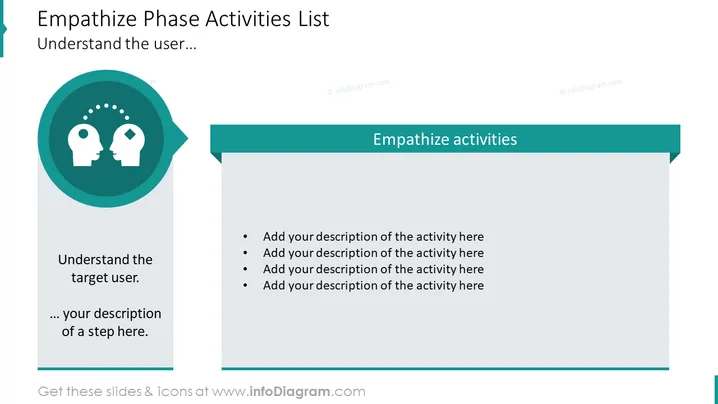
The slide is designed for presenting the activities involved in the "Empathize" phase of a process, indicating a focus on understanding the user. The words "Understand the user..." followed by a customizable bullet point suggest the presenter will offer more in-depth information on engaging with and understanding the target user's needs and perspectives. There is a list titled "Empathize activities," inviting the presenter to add descriptions of various activities related to this phase, explaining how these activities will help in gaining empathy with user experience.
Graphical Look
- The slide features a two-tone color scheme with shades of teal and white.
- On the left, a large circular graphic with a gradient teal fill includes two stylized human head silhouettes with a dotted arc between them suggesting communication or connection.
- Below the icon, there is space for text, with the phrase "Understand the target user." followed by additional customizable text space.
- On the right side, there is a teal rectangle with the phrase "Empathize activities" in white, which looks like a header for a list below.
- A vertical strip with a lighter shade of teal runs down the left side, possibly for navigation or indicating a sequence in a presentation.
- Four bullet points under the "Empathize activities" area suggest a place for adding descriptions of specific tasks or steps.
The overall look is professional and minimalist, using color and simple shapes to visually segment information. The use of icons and bullet points provides a clear and organized structure for presenting details.
Use Cases
- To introduce and explain the steps involved in the 'Empathize' phase of a design thinking workshop.
- For project managers or team leads to discuss user-centered approaches in product development meetings.
- In a user experience (UX) or service design presentation, to delineate activities aimed at understanding user needs and challenges.
- As part of an educational presentation to students learning about the importance of empathy in design and innovation processes.
How to Edit
How to edit text & colors

How to expand / shorten diagram

How to Replace Icons in infoDiagram PPT


