
Reviews
Ihre Grafiken verleihen meinen Präsentationen eine nette Note, und ich habe sie kürzlich für eines meiner All-Hands-Meetings verwendet. Ihre Toolbox verleiht meinen Folien Professionalität, anstatt Standard-Clipart zu verwenden.
Ich brauchte einen neuen Blick auf einige meiner Folien. Ich habe versucht, einen Weg zu finden, einen Pinselschlag-Effekt zu erzielen, um zu unterstreichen, hervorzuheben, Farbe hinzuzufügen, und die handgeschriebenen Markierungen waren genau das Richtige. Sehr einfach zu bedienen, leicht in der Größe zu ändern, die Farbe zu ändern. Es war eine erschwingliche, perfekte Lösung und ich empfehle sie gerne weiter.
Die klare, saubere Optik der Grafiken und die Tatsache, dass ich die Farben leicht bearbeiten und an die Vorlage anpassen konnte, war mein Hauptgrund für den Kauf.
Description
2 Elements Comparison – Beaker Graphics Diagram
Slide Content
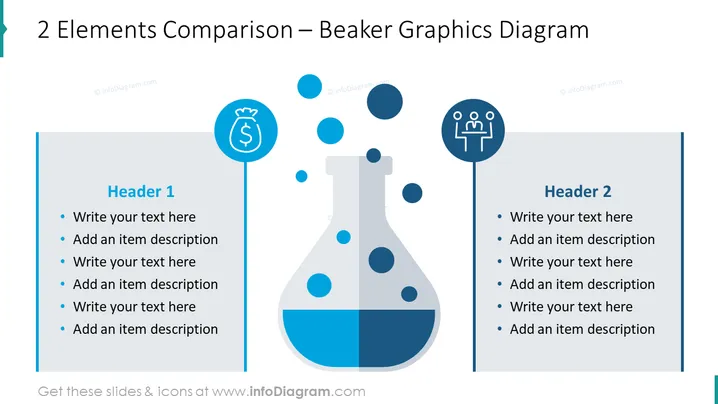
The slide is titled "2 Elements Comparison – Beaker Graphics Diagram" and is designed to compare two sets of elements or ideas. Each side of the beaker, labeled "Header 1" and "Header 2," provides space for listing points which can be expanded with a description. The comparison is visualized through a central image of a beaker filled with two different levels of liquid or colored sections, symbolizing two distinct elements or concepts.
Graphical Look
- The slide is divided vertically into two sections by a central beaker graphic.
- The beaker has two colors, with the bottom half filled with a blue liquid and the empty top part with bubbles.
- To the left and right of the beaker, there are vertical rectangular text boxes with "Header 1" and "Header 2."
- Each header is accompanied by a circular icon: to the left is a money bag symbol, and to the right is a group of people.
- There are five bullet points under each header, each consisting of placeholder text "Write your text here" and "Add an item description."
The slide features a clean, modern design with a balanced layout that uses the beaker as a central metaphor for comparison. The use of contrasting colors and minimalist icons creates a visually engaging presentation tool.
Use Cases
- Presenting budgetary comparisons in financial presentations.
- Demonstrating the differences or similarities between two teams or departments within a company.
- Illustrating contrasting approaches or strategies in a business proposal.
- Comparing product features or services to competitors in a marketing presentation.
How to Edit
How to edit text & colors

How to expand / shorten diagram

How to Replace Icons in infoDiagram PPT


