
Your graphics add a nice touch to my presentations and I recently used them for one of my all-hands meetings. Your toolbox adds professionalism to my slides. Instead of using standard clipart.
Claude Jones, Director of Engineer, @Walmartlabs, USA
Your graphics add a nice touch to my presentations and I recently used them for one of my all-hands meetings. Your toolbox adds professionalism to my slides. Instead of using standard clipart.
Claude Jones, Director of Engineer, @Walmartlabs, USA
I needed a fresh look at some of my slides. I've tried to find a way to create a paintbrush effect, to underline, accentuate, add some color and the handwritten markers were just the things. Very easy to use, easy to size, change the color. It was an affordable, perfect solution and I'm happy to recommend it.
Anonymous, US
The crisp, clean look of the graphics, and the fact that it allowed me to easily edit and change the colors to match the template was my main reason for purchasing them.
Brandie Jenkins, E-learning Developer, USA
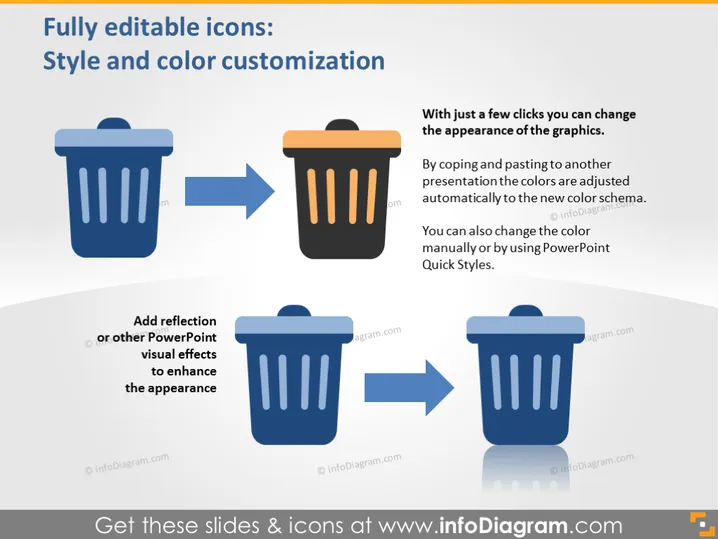
The slide showcases the customization of icons in a PowerPoint presentation, specifically focused on style and color changes. An example is provided using a trash bin icon, which is transformed from a standard blue color to a customized brown shade with just a few clicks. The text explains that colors can automatically adjust to a new color scheme when copying and pasting between presentations, but they can also be changed manually or by using PowerPoint’s Quick Styles, which simplifies the process of icon customization. It suggests adding reflection or other visual effects for enhancement.
The slide is visually simple and clean, using iconography and directional arrows to convey the ease of customization. It employs a professional layout with a consistent color palette and is geared towards demonstrating functionality.




