
Reviews
Ihre Grafiken verleihen meinen Präsentationen eine nette Note, und ich habe sie kürzlich für eines meiner All-Hands-Meetings verwendet. Ihre Toolbox verleiht meinen Folien Professionalität, anstatt Standard-Clipart zu verwenden.
Ich brauchte einen neuen Blick auf einige meiner Folien. Ich habe versucht, einen Weg zu finden, einen Pinselschlag-Effekt zu erzielen, um zu unterstreichen, hervorzuheben, Farbe hinzuzufügen, und die handgeschriebenen Markierungen waren genau das Richtige. Sehr einfach zu bedienen, leicht in der Größe zu ändern, die Farbe zu ändern. Es war eine erschwingliche, perfekte Lösung und ich empfehle sie gerne weiter.
Die klare, saubere Optik der Grafiken und die Tatsache, dass ich die Farben leicht bearbeiten und an die Vorlage anpassen konnte, war mein Hauptgrund für den Kauf.
Description
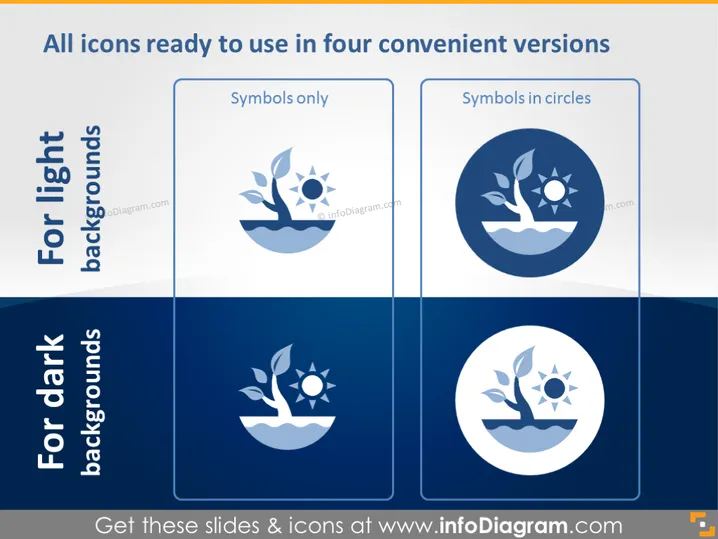
All icons ready to use in four convenient versions
Slide Content
The PowerPoint slide presents the adaptability of icon designs for different presentation backgrounds. It showcases two categories: "For light backgrounds" and "For dark backgrounds," each featuring two icon styles, "Symbols only" and "Symbols in circles." The first style emphasizes simplicity, using the icon without any additional framing. The second pairs the icon with a contrasting circular background to enhance visibility and offers a bolder visual statement.
Graphical Look
- The slide title is in bold, capitalized letters at the top.
- Two main sections are highlighted: "For light backgrounds" in a light shade and "For dark backgrounds" in a dark shade, suggesting their use cases.
- Each section has two rounded-rectangle frames with examples of icon styles.
- The sample icons consist of a plant, sunshine, and water - representing growth or eco-friendliness.
- The "Symbols only" style displays the icon with minimal design elements.
- The "Symbols in circles" style encases the icon within a circle for a more defined and prominent appearance.
- A soft shadow appears beneath the rounded-rectangle frames to give a slight three-dimensional effect.
The slide uses a clean, professional design with contrasting colors to differentiate between the two background types. It effectively illustrates how icons can be adapted for clarity against various presentation backdrops.
Use Cases
- Demonstrating the versatility of visual assets across different slide deck themes.
- Offering a direct visual comparison for audience members to understand design choices.
- Guiding presenters on effective icon usage in their presentations.
- Enhancing visual branding consistency by using icons that remain clear on any background.
How to Edit
How to edit text & colors

How to expand / shorten diagram

How to Replace Icons in infoDiagram PPT


