
Reviews
Ihre Grafiken verleihen meinen Präsentationen eine nette Note, und ich habe sie kürzlich für eines meiner All-Hands-Meetings verwendet. Ihre Toolbox verleiht meinen Folien Professionalität, anstatt Standard-Clipart zu verwenden.
Ich brauchte einen neuen Blick auf einige meiner Folien. Ich habe versucht, einen Weg zu finden, einen Pinselschlag-Effekt zu erzielen, um zu unterstreichen, hervorzuheben, Farbe hinzuzufügen, und die handgeschriebenen Markierungen waren genau das Richtige. Sehr einfach zu bedienen, leicht in der Größe zu ändern, die Farbe zu ändern. Es war eine erschwingliche, perfekte Lösung und ich empfehle sie gerne weiter.
Die klare, saubere Optik der Grafiken und die Tatsache, dass ich die Farben leicht bearbeiten und an die Vorlage anpassen konnte, war mein Hauptgrund für den Kauf.
Description
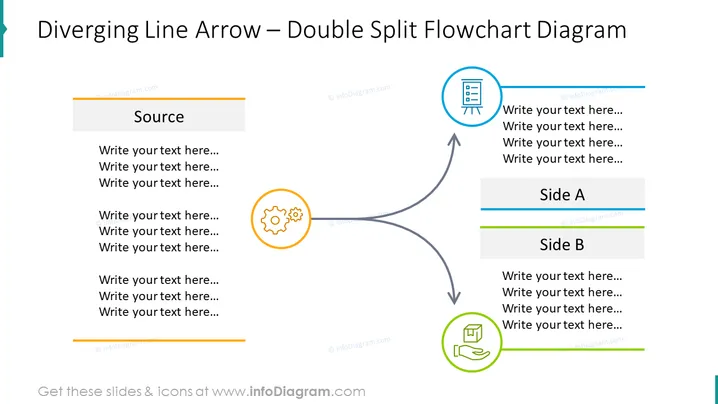
Diverging Line Arrow – Double Split Flowchart Diagram
Slide Content
The slide depicts a 'Double Split Flowchart Diagram' where a source point diverges into two paths, each leading to different outcomes or processes labeled "Side A" and "Side B." Each path is represented by a thick curved arrow pointing towards a rectangle containing a space for a title and bullet points below. This format is to convey a process or concept that bifurcates from a single source into two distinct directions, with space provided for detailed text explanation of each branch.
Graphical Look
- Large blue title text at the top indicating the type of diagram
- A grey horizontal rectangle labeled "Source" serves as the starting point of the flowchart
- Two large curved arrows start from the source and divide the slide into two pathways towards the top right
- These arrows are dark grey with a gradient effect, giving them a three-dimensional appearance
- Each pathway ends with a colored circular icon – one in orange with a cogwheel symbol and another in green with what appears to be a document or certificate icon
- Two rectangles, blue for "Side A" and green for "Side B," each with a horizontal color accent and space for inserting text
- Placeholder text is arranged in bullet list format below each rectangle, implying areas to add descriptions or points
The slide uses a clean and professional design with a light background and a combination of bold colors and grayscale for text and graphical elements. Different colors are used to distinguish between the two diverging paths, enhancing the visual separation of the concepts.
Use Cases
- To illustrate decision points where a process splits into two different directions
- To compare and contrast two different strategies or outcomes stemming from a common source
- For presenting project developments that have two distinct phases or components
- As an educational tool to demonstrate cause and effect or to explore different scenarios based on an initial condition
How to Edit
How to edit text & colors

How to expand / shorten diagram

How to Replace Icons in infoDiagram PPT


