
Reviews
Sus gráficos añaden un toque agradable a mis presentaciones y recientemente los usé para una de mis reuniones generales. Su conjunto de herramientas añade profesionalismo a mis diapositivas. En lugar de usar imágenes prediseñadas estándar.
Necesitaba un aspecto fresco para algunas de mis diapositivas. Había intentado encontrar una forma de crear un efecto de pincel, de subrayar, acentuar, añadir algo de color y los marcadores escritos a mano fueron justo lo que necesitaba. Muy fácil de usar, fácil de ajustar el tamaño, cambiar el color. Fue una solución asequible y perfecta, y estoy feliz de recomendarla.
El aspecto nítido y limpio de los gráficos, y el hecho de que me permitiera editar y cambiar fácilmente los colores para que coincidieran con la plantilla fue mi principal razón para comprarlos.
Description
Title 1
Slide Content
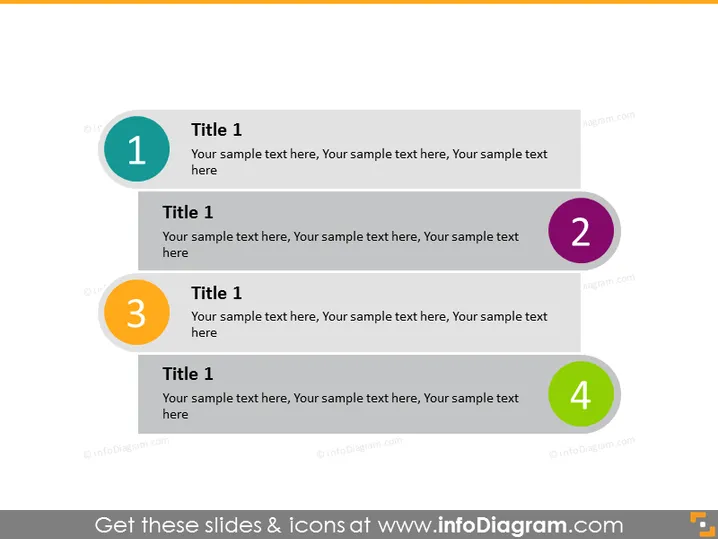
The PowerPoint slide titled "Title 1" appears to be a template for presenting a sequence or a list of topics. Each topic is designated by a colored circle with a number (1 to 4) and accompanied by a place for additional text to elaborate on each point. This slide format is commonly used to outline a multi-step process, summarize key points, or present a set of ideas in a clear and structured manner.
Graphical Look
- The slide background is light grey.
- There are four main horizontal blocks of content, each comprising a colored circle with a number (1-4) on the left side and a text placeholder titled "Title 1" on the right.
- The colored circles are evenly spaced and have varying colors: teal, purple, yellow, and green.
- Each text placeholder is aligned with its respective colored circle.
- The font of the titles and the numbers within the circles is white and bold, ensuring readability.
- The overall design is clean and minimalist, with a modern and professional appearance.
The slide has a clean and business-like look with a simple color palette and minimalistic design elements. It's designed for clarity and ease of understanding, making it suitable for a professional or corporate presentation.
Use Cases
- Outlining the main points of a business strategy or proposal.
- Stepping through different stages or components of a project timeline.
- Summarizing the core features of a product or service in a sales pitch.
- Presenting an agenda or a series of events in a meeting or workshop.
How to Edit
How to edit text & colors

How to expand / shorten diagram

How to Replace Icons in infoDiagram PPT


