

Your graphics add a nice touch to my presentations and I recently used them for one of my all-hands meetings. Your toolbox adds professionalism to my slides. Instead of using standard clipart.
Claude Jones, Director of Engineer, @Walmartlabs, USA

Your graphics add a nice touch to my presentations and I recently used them for one of my all-hands meetings. Your toolbox adds professionalism to my slides. Instead of using standard clipart.
Claude Jones, Director of Engineer, @Walmartlabs, USA
I needed a fresh look at some of my slides. I've tried to find a way to create a paintbrush effect, to underline, accentuate, add some color and the handwritten markers were just the things. Very easy to use, easy to size, change the color. It was an affordable, perfect solution and I'm happy to recommend it.
Anonymous, US
The crisp, clean look of the graphics, and the fact that it allowed me to easily edit and change the colors to match the template was my main reason for purchasing them.
Brandie Jenkins, E-learning Developer, USA
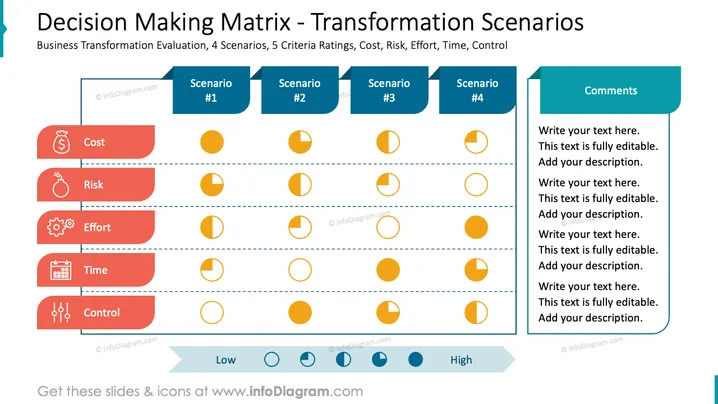
The slide is titled "Decision Making Matrix - Transformation Scenarios" and addresses Business Transformation Evaluation with 4 scenario columns and 5 criteria rows: Cost, Risk, Effort, Time, Control. Each criterion is elaborated: Cost assesses the economic impact, Risk examines potential challenges, Effort gauges the amount of work required, Time considers the duration, and Control looks at the level of governance needed. Ratings are visually represented across a low to high scale for each scenario. A comments section is available for additional notes on the right.
The slide has a balanced composition with aligned graphical elements enhancing clarity. The use of color helps to distinguish categories and prioritize information flow.



