
Reviews
Sus gráficos añaden un toque agradable a mis presentaciones y recientemente los usé para una de mis reuniones generales. Su conjunto de herramientas añade profesionalismo a mis diapositivas. En lugar de usar imágenes prediseñadas estándar.
Necesitaba un aspecto fresco para algunas de mis diapositivas. Había intentado encontrar una forma de crear un efecto de pincel, de subrayar, acentuar, añadir algo de color y los marcadores escritos a mano fueron justo lo que necesitaba. Muy fácil de usar, fácil de ajustar el tamaño, cambiar el color. Fue una solución asequible y perfecta, y estoy feliz de recomendarla.
El aspecto nítido y limpio de los gráficos, y el hecho de que me permitiera editar y cambiar fácilmente los colores para que coincidieran con la plantilla fue mi principal razón para comprarlos.
Description
Waste classification
Slide Content
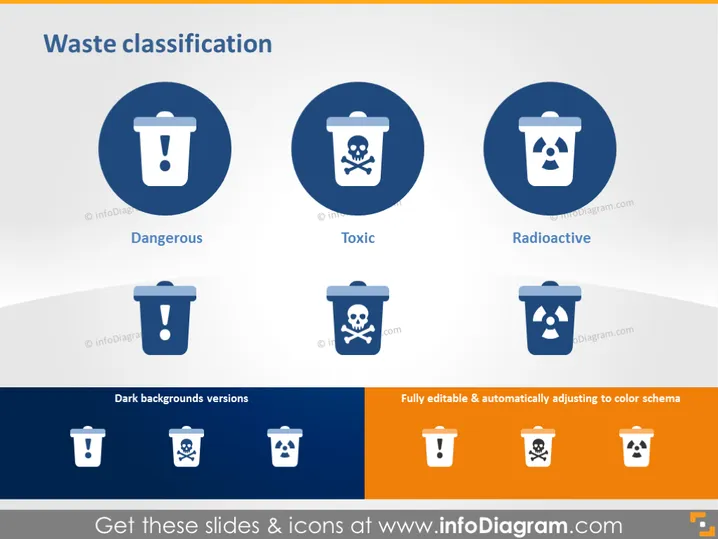
The slide titled "Waste classification" presents three categories of waste, each represented by a circular icon with a trash bin: Dangerous, Toxic, and Radioactive. Dangerous waste is symbolized by an exclamation mark, indicating materials that pose a significant risk. Toxic waste is marked by a skull and crossbones, highlighting its harmful chemical nature. Radioactive waste features the universal symbol for radioactivity, denoting materials that emit ionizing radiation.
Graphical Look
- The slide has a clean, professional design with a white and gradient gray background.
- There are three large circular icons in blue, each containing a white trash bin symbol and a different pictogram representing the type of waste.
- Under each icon, there is a text label identifying the type of waste: Dangerous, Toxic, and Radioactive.
- Below the main icons, there is a row of smaller icons showing the trash bin symbols against dark blue and orange backgrounds, demonstrating the design's adaptability to different color schemes.
The slide is visually balanced, using symmetrical alignment of icons and text to convey information clearly and effectively. The color scheme is limited, focusing on contrast to make the icons stand out.
Use Cases
- Presenting waste management strategies in an environmental or manufacturing company meeting.
- Educating employees about safety and handling procedures for different waste types during a training session.
- Informing policy makers or investors about the categories of waste that a company handles or produces.
- Including in a public presentation or community meeting to explain the importance of sorting and disposing of hazardous waste properly.
How to Edit
How to edit text & colors

How to expand / shorten diagram

How to Replace Icons in infoDiagram PPT


