
Reviews
Sus gráficos añaden un toque agradable a mis presentaciones y recientemente los usé para una de mis reuniones generales. Su conjunto de herramientas añade profesionalismo a mis diapositivas. En lugar de usar imágenes prediseñadas estándar.
Necesitaba un aspecto fresco para algunas de mis diapositivas. Había intentado encontrar una forma de crear un efecto de pincel, de subrayar, acentuar, añadir algo de color y los marcadores escritos a mano fueron justo lo que necesitaba. Muy fácil de usar, fácil de ajustar el tamaño, cambiar el color. Fue una solución asequible y perfecta, y estoy feliz de recomendarla.
El aspecto nítido y limpio de los gráficos, y el hecho de que me permitiera editar y cambiar fácilmente los colores para que coincidieran con la plantilla fue mi principal razón para comprarlos.
Description
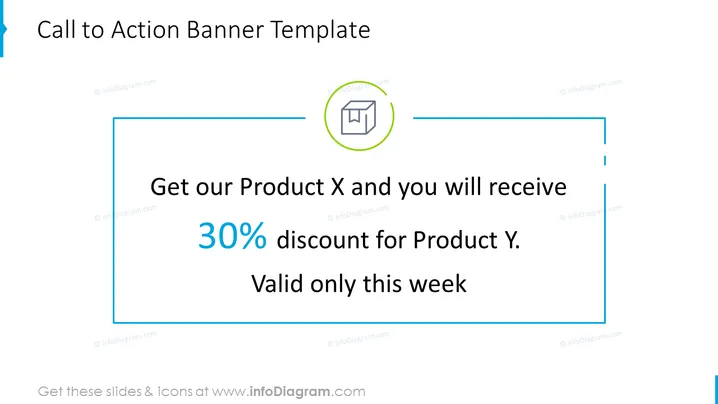
Call to Action Banner Template
Slide Content:
The slide presents a promotional call to action, highlighting a special offer. It prominently features a 30% discount for Product Y when customers purchase Product X, with the condition that the offer is valid for one week only. This type of slide is typically used to attract immediate customer action and drive sales within a limited time frame.
Graphical Look:
- Central icon symbolizing Product X within a circular outline with a green accent.
- Large, bold text stating "30% discount for Product Y."
- Additional text "Valid only this week" emphasizing the offer's limited time.
- Overall design elements are balanced, with a clear focus on the discount offer.
The slide's overall look is clean and focused, with a strong visual hierarchy that directs the viewer's attention to the promotional offer. The design is professional and is likely to grab attention in a business or sales context.
Use Cases:
- During promotional webinars to encourage immediate purchase decisions.
- In marketing presentations to highlight special offers.
- Within retail or sales meetings to inform teams of the current promotions.
- As part of an email campaign slide deck to visually communicate offers to potential customers.
How to Edit
How to edit text & colors

How to expand / shorten diagram

How to Replace Icons in infoDiagram PPT


