

Your graphics add a nice touch to my presentations and I recently used them for one of my all-hands meetings. Your toolbox adds professionalism to my slides. Instead of using standard clipart.
Claude Jones, Director of Engineer, @Walmartlabs, USA

Your graphics add a nice touch to my presentations and I recently used them for one of my all-hands meetings. Your toolbox adds professionalism to my slides. Instead of using standard clipart.
Claude Jones, Director of Engineer, @Walmartlabs, USA
I needed a fresh look at some of my slides. I've tried to find a way to create a paintbrush effect, to underline, accentuate, add some color and the handwritten markers were just the things. Very easy to use, easy to size, change the color. It was an affordable, perfect solution and I'm happy to recommend it.
Anonymous, US
The crisp, clean look of the graphics, and the fact that it allowed me to easily edit and change the colors to match the template was my main reason for purchasing them.
Brandie Jenkins, E-learning Developer, USA
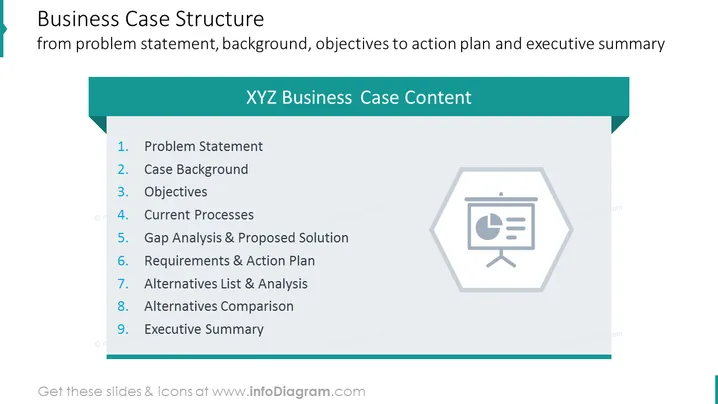
The PowerPoint slide outlines the structure for a Business Case, which includes nine key components starting with a Problem Statement that defines the issue being addressed. The Case Background provides context and history relevant to the problem. Objectives set out what the business case aims to achieve, while Current Processes review how things are done presently. A Gap Analysis & Proposed Solution identify deficiencies and offer remedies. Requirements & Action Plan detail what needs to be done and the steps to execute the solution. Alternatives List & Analysis, as well as Alternatives Comparison, weigh other possible solutions. Lastly, the Executive Summary succinctly summarizes the entire case.
Overall, the slide has a clean, professional appearance with a simple color scheme. The use of bold numbers and icons helps to visually organize the content and draw attention to key areas.
This slide is suited for business presentations that require a detailed explanation of a business case's structure. It can be used in planning meetings, strategy sessions, and proposals to stakeholders or investors to outline the approach for analyzing and solving a business problem.



