
Your graphics add a nice touch to my presentations and I recently used them for one of my all-hands meetings. Your toolbox adds professionalism to my slides. Instead of using standard clipart.
Claude Jones, Director of Engineer, @Walmartlabs, USA
Your graphics add a nice touch to my presentations and I recently used them for one of my all-hands meetings. Your toolbox adds professionalism to my slides. Instead of using standard clipart.
Claude Jones, Director of Engineer, @Walmartlabs, USA
I needed a fresh look at some of my slides. I've tried to find a way to create a paintbrush effect, to underline, accentuate, add some color and the handwritten markers were just the things. Very easy to use, easy to size, change the color. It was an affordable, perfect solution and I'm happy to recommend it.
Anonymous, US
The crisp, clean look of the graphics, and the fact that it allowed me to easily edit and change the colors to match the template was my main reason for purchasing them.
Brandie Jenkins, E-learning Developer, USA
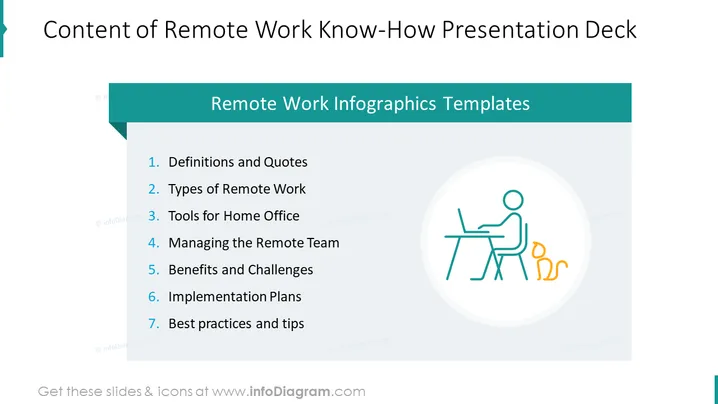
The slide appears to be the content or agenda of a presentation focused on remote work know-how. It lists seven topics: (1) Definitions and Quotes explains the terminology and includes relevant sayings. (2) Types of Remote Work describes different remote working modalities. (3) Tools for Home Office outlines software and hardware that facilitate remote work. (4) Managing the Remote Team discusses leadership and management strategies for remote employees. (5) Benefits and Challenges covers the advantages and difficulties of remote work. (6) Implementation Plans offers strategies for putting remote work policies into action. (7) Best Practices and Tips provides recommendations for efficient remote work practices.
The overall visual composition is balanced, with textual information positioned on the left and a simple, relevant graphic on the right. The color scheme is consistent, incorporating shades of teal and black, and the design is clean and modern, facilitating easy reading.




