
Your graphics add a nice touch to my presentations and I recently used them for one of my all-hands meetings. Your toolbox adds professionalism to my slides. Instead of using standard clipart.
Claude Jones, Director of Engineer, @Walmartlabs, USA
Your graphics add a nice touch to my presentations and I recently used them for one of my all-hands meetings. Your toolbox adds professionalism to my slides. Instead of using standard clipart.
Claude Jones, Director of Engineer, @Walmartlabs, USA
I needed a fresh look at some of my slides. I've tried to find a way to create a paintbrush effect, to underline, accentuate, add some color and the handwritten markers were just the things. Very easy to use, easy to size, change the color. It was an affordable, perfect solution and I'm happy to recommend it.
Anonymous, US
The crisp, clean look of the graphics, and the fact that it allowed me to easily edit and change the colors to match the template was my main reason for purchasing them.
Brandie Jenkins, E-learning Developer, USA
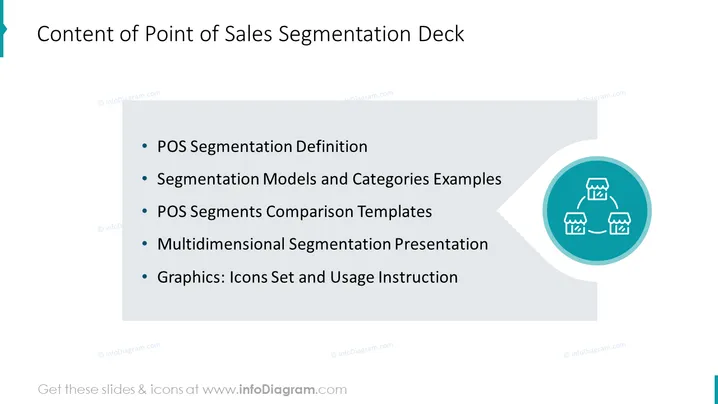
The PowerPoint slide is titled "Content of Point of Sales Segmentation Deck" and outlines the main sections of a presentation focused on point of sales (POS) segmentation. It includes "POS Segmentation Definition," explaining what segmentation in the POS context means; "Segmentation Models and Categories Examples," providing examples of various segmentation models; "POS Segments Comparison Templates," which likely offers templates for comparing different sales segments; "Multidimensional Segmentation Presentation," indicating a more complex approach to segmentation involving multiple factors; and "Graphics: Icons Set and Usage Instruction," containing a set of icons with guidance on how to use them in the context of the presentation.
The graphic elements are minimal yet effective in conveying the concept of segmentation. The color palette is limited, primarily utilizing shades of blue and black for text and icons, ensuring high contrast and readability.




