
Reviews
Ihre Grafiken verleihen meinen Präsentationen eine nette Note, und ich habe sie kürzlich für eines meiner All-Hands-Meetings verwendet. Ihre Toolbox verleiht meinen Folien Professionalität, anstatt Standard-Clipart zu verwenden.
Ich brauchte einen neuen Blick auf einige meiner Folien. Ich habe versucht, einen Weg zu finden, einen Pinselschlag-Effekt zu erzielen, um zu unterstreichen, hervorzuheben, Farbe hinzuzufügen, und die handgeschriebenen Markierungen waren genau das Richtige. Sehr einfach zu bedienen, leicht in der Größe zu ändern, die Farbe zu ändern. Es war eine erschwingliche, perfekte Lösung und ich empfehle sie gerne weiter.
Die klare, saubere Optik der Grafiken und die Tatsache, dass ich die Farben leicht bearbeiten und an die Vorlage anpassen konnte, war mein Hauptgrund für den Kauf.
Description
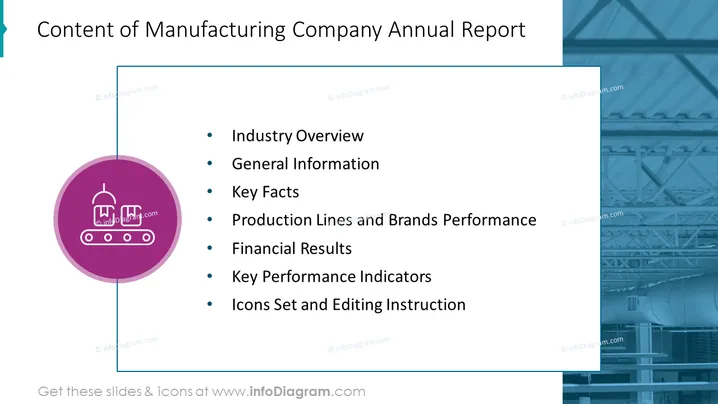
Content of Manufacturing Company Annual Report
Slide Content
The slide presents a summary of the key sections in a Manufacturing Company's Annual Report. "Industry Overview" likely provides insights into the current market conditions and future outlook. "General Information" might contain basic company details, history, and mission. "Key Facts" summarizes essential data points about the company. "Production Lines and Brands Performance" reviews the efficiency and results of the product offerings. "Financial Results" focuses on fiscal data such as profit, loss, and revenue. "Key Performance Indicators" outlines the metrics used to measure success. "Icons Set and Editing Instructions" presumably offers guidance on how to customize or edit icons for the report.
Graphical Look
- The title is prominent at the top in large, bold text.
- There is a large, circular icon with graphics symbolizing manufacturing on the left side of the slide.
- A vertical line connects the circular icon to the top border of the slide, giving a structured appearance.
- The background is split diagonally, with text on a white backdrop to the right and a faded blue image depicting industrial structures on the left.
- A series of bulleted points appear to the right of the slide, detailing the various content sections of the report.
The slide has a professional and clean look with a cohesive color scheme, balancing text and imagery. The use of icons and contrasting backgrounds effectively draws attention to the key elements.
Use Cases
- During an annual general meeting (AGM) to provide shareholders with a structured overview of the annual report's contents.
- In board meetings where company executives might discuss the specifics of the annual report with board members.
- For employee briefings to give staff a rundown of the company's performance and significant insights from the annual report.
- In investor presentations to succinctly outline the main sections of the annual report for potential or current investors.
How to Edit
How to edit text & colors

How to expand / shorten diagram

How to Replace Icons in infoDiagram PPT


