
Reviews
Sus gráficos añaden un toque agradable a mis presentaciones y recientemente los usé para una de mis reuniones generales. Su conjunto de herramientas añade profesionalismo a mis diapositivas. En lugar de usar imágenes prediseñadas estándar.
Necesitaba un aspecto fresco para algunas de mis diapositivas. Había intentado encontrar una forma de crear un efecto de pincel, de subrayar, acentuar, añadir algo de color y los marcadores escritos a mano fueron justo lo que necesitaba. Muy fácil de usar, fácil de ajustar el tamaño, cambiar el color. Fue una solución asequible y perfecta, y estoy feliz de recomendarla.
El aspecto nítido y limpio de los gráficos, y el hecho de que me permitiera editar y cambiar fácilmente los colores para que coincidieran con la plantilla fue mi principal razón para comprarlos.
Description
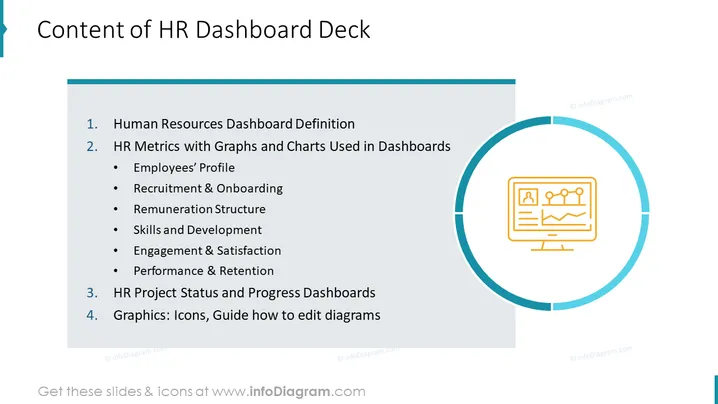
Content of HR Dashboard Deck
Slide Content
This PowerPoint slide outlines the key components of a Human Resources Dashboard. Human Resources Dashboard Definition explains what an HR dashboard is and its significance. HR Metrics with Graphs and Charts Used in Dashboards covers various HR metrics visualized through graphs and charts, breaking down into subcategories like Employees' Profile (demographics, roles, tenure), Recruitment & Onboarding (hiring process, time to hire), Remuneration Structure (salary bands, benefits), Skills and Development (training programs, skills tracking), Engagement & Satisfaction (employee happiness, survey results), and Performance & Retention (performance ratings, turnover rates). HR Project Status and Progress Dashboards discusses tracking the current status and milestones of HR-related projects, and Graphics: Icons, Guide how to edit diagrams offers resources for customizing HR dashboard graphics.
Graphical Look
- The slide has a clean and professional design with a dominant blue color theme.
- The slide title is prominently displayed at the top with a dark blue background and white text.
- A pale blue rectangular block extends across the left two-thirds of the slide, containing the enumerated content.
- Each item on the list is clearly differentiated by bold numbering and the use of bullet points for sub-items.
- On the right side of the slide, there's a large circular graphic with a lighter blue border.
- Inside the circle, there's an orange icon depicting a computer monitor displaying graphs and charts.
- The icon serves as a visual representation of the dashboard concept.
The slide has a balanced layout with a clear division between the textual content and the graphical element. The use of a blue color palette along with the iconography creates a businesslike and informative atmosphere.
Use Cases
- Presenting the structure and components of an HR dashboard to stakeholders or team members during a meeting.
- Training HR professionals on how to interpret and use HR dashboards effectively.
- Kickstarting a project to develop or improve an organization's HR dashboard and reporting capabilities.
- Outlining the agenda for a workshop or seminar focused on HR analytics and data visualization.
How to Edit
How to edit text & colors

How to expand / shorten diagram

How to Replace Icons in infoDiagram PPT


