
Reviews
Your graphics add a nice touch to my presentations and I recently used them for one of my all-hands meetings. Your toolbox adds professionalism to my slides. Instead of using standard clipart.
I needed a fresh look at some of my slides. I've tried to find a way to create a paintbrush effect, to underline, accentuate, add some color and the handwritten markers were just the things. Very easy to use, easy to size, change the color. It was an affordable, perfect solution and I'm happy to recommend it.
The crisp, clean look of the graphics, and the fact that it allowed me to easily edit and change the colors to match the template was my main reason for purchasing them.
Description
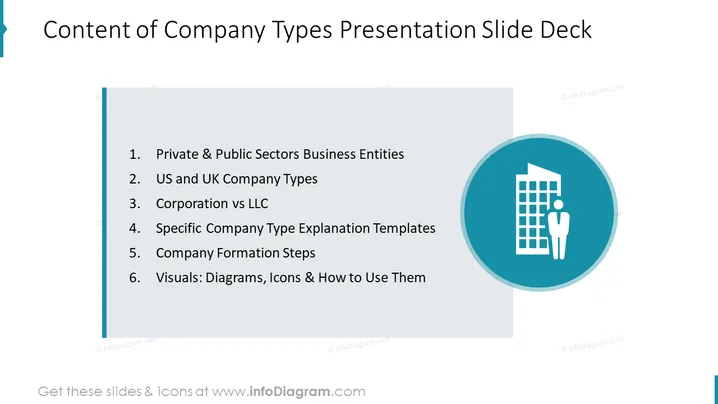
Content of Company Types Presentation Slide Deck
Slide Content
The slide presents an overview of a presentation dedicated to different types of company structures, comparing and contrasting various business entities, and providing templates for further clarification. The list includes: Private & Public Sectors Business Entities, explaining the distinction between privately held companies and publicly traded firms; US and UK Company Types, which likely compares the corporate structures within these two jurisdictions; Corporation vs LLC, detailing the differences between these two common business structures; Specific Company Type Explanation Templates, offering visual aids for better understanding; Company Formation Steps, outlining the process needed to establish a new company; and Visuals: Diagrams, Icons & How to Use Them, providing resources for effectively communicating this information.
Graphical Look
- The slide features a large title at the top in bold lettering.
- To the left, a vertical teal stripe aligns with the line of text outlining the slide content.
- The content list is presented in bullet point format, using a plain, clearly readable font.
- A large circular icon on the right side of the slide contains a graphic of a building and a person, symbolizing business entities.
- The icon is set against a teal background circle which overlays a portion of a gray shape that extends beyond the right edge of the slide.
The overall look of the slide is clean and professional, with a simple color scheme that employs shades of teal, gray, and white for clear contrast and legibility.
Use Cases
- Introducing the types of businesses in educational or training sessions for new employees or entrepreneurs.
- Providing a structured outline for a seminar or workshop on company formation and business entity comparisons.
- Serving as a reference guide in legal or business consulting presentations to clients about different company structures.
- Facilitating a discussion in an academic course covering business law or corporate governance.
How to Edit
How to edit text & colors

How to expand / shorten diagram

How to Replace Icons in infoDiagram PPT


