
Reviews
Sus gráficos añaden un toque agradable a mis presentaciones y recientemente los usé para una de mis reuniones generales. Su conjunto de herramientas añade profesionalismo a mis diapositivas. En lugar de usar imágenes prediseñadas estándar.
Necesitaba un aspecto fresco para algunas de mis diapositivas. Había intentado encontrar una forma de crear un efecto de pincel, de subrayar, acentuar, añadir algo de color y los marcadores escritos a mano fueron justo lo que necesitaba. Muy fácil de usar, fácil de ajustar el tamaño, cambiar el color. Fue una solución asequible y perfecta, y estoy feliz de recomendarla.
El aspecto nítido y limpio de los gráficos, y el hecho de que me permitiera editar y cambiar fácilmente los colores para que coincidieran con la plantilla fue mi principal razón para comprarlos.
Description
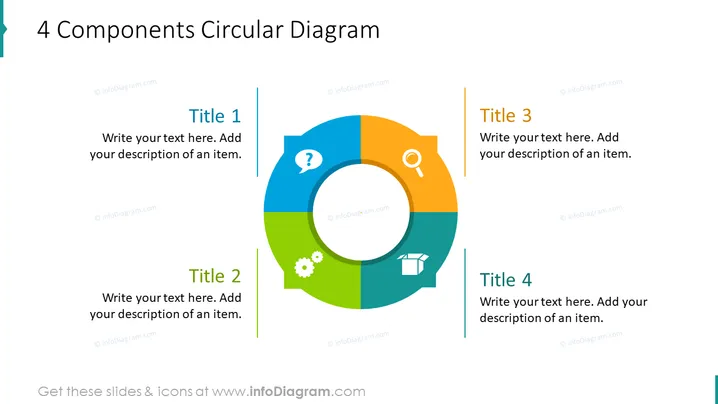
4 Components Circular Diagram
Slide Content
The slide presents a model called "4 Components Circular Diagram." Each quadrant of the circular diagram represents a different component, designed to be customizable with a user's specific text and descriptions. "Title 1" is associated with a question mark icon, indicating an element of inquiry or uncertainty. "Title 2" features a gear icon, suggesting mechanics, processes, or operations. "Title 3" corresponds with a magnifying glass icon, implying analysis or search, and "Title 4" uses a box icon, which could symbolize goods, products, or packages.
Graphical Look
- The slide features a large, circular diagram in the center, divided into four colored sections.
- Each section contains an icon correlating to a concept or function; these are a question mark, a gear, a magnifying glass, and a box.
- The diagram is surrounded by four corresponding titles and text placeholders, one for each section of the circle.
- The colors of the sections are bright and distinct (blue, green, orange, and teal), enhancing visual differentiation.
- The titles are in uppercase, colored to match their respective section, and are aligned vertically with a colored line beside them.
- Each title area has two levels of text: a bold header ("Title 1" to "Title 4") and a placeholder for additional description.
The slide is clean and modern, utilizing a simple color scheme and icons to effectively convey the concept of interconnected components. The circular design emphasizes the cyclical relationship among the four elements, promoting the idea of a process or system.
Use Cases
- To illustrate a business model or strategic framework that consists of four interconnected components.
- In marketing presentations to explain the four pillars of a campaign strategy.
- During team meetings to discuss the interrelation of different project parts or phases.
- In educational settings to teach about systems thinking or components that contribute to a holistic concept.
How to Edit
How to edit text & colors

How to expand / shorten diagram

How to Replace Icons in infoDiagram PPT


