
Reviews
Sus gráficos añaden un toque agradable a mis presentaciones y recientemente los usé para una de mis reuniones generales. Su conjunto de herramientas añade profesionalismo a mis diapositivas. En lugar de usar imágenes prediseñadas estándar.
Necesitaba un aspecto fresco para algunas de mis diapositivas. Había intentado encontrar una forma de crear un efecto de pincel, de subrayar, acentuar, añadir algo de color y los marcadores escritos a mano fueron justo lo que necesitaba. Muy fácil de usar, fácil de ajustar el tamaño, cambiar el color. Fue una solución asequible y perfecta, y estoy feliz de recomendarla.
El aspecto nítido y limpio de los gráficos, y el hecho de que me permitiera editar y cambiar fácilmente los colores para que coincidieran con la plantilla fue mi principal razón para comprarlos.
Description
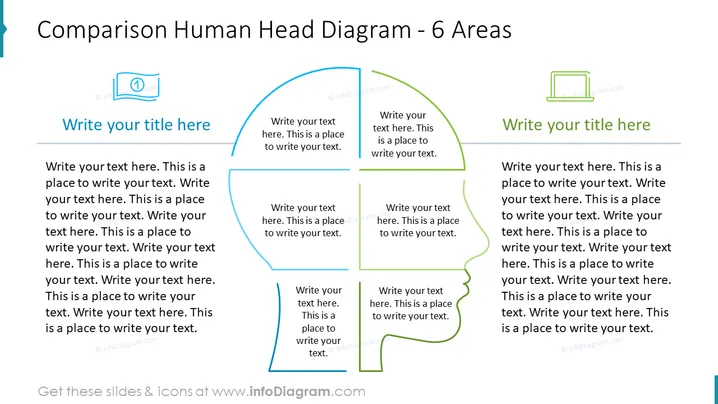
Comparison Human Head Diagram - 6 Areas
Slide Content:
The slide features a diagram of a human head divided into six sections, each with a space for text and a title, indicating a breakdown of complex ideas or characteristics into more manageable parts. This division could symbolize different cognitive functions, psychological domains, aspects of personality, or areas of expertise, with each section intended to compartmentalize information for comparative or analytical purposes.
Graphical Look:
- The outline of a human head is central to the slide, sectioned into six parts with varied colors.
- Each section has a corresponding text box for a title and additional content.
- The layout is symmetrical about the vertical axis of the head outline.
- The text boxes are aligned with their respective sections of the head, indicating a relationship between the section and the content.
- The design is clean and uses contrasting colors to differentiate between the sections.
The slide is visually balanced, with a color-coded diagram of a human head that delineates six distinct areas for textual input. The overall design is simple and allows for easy comparison of multiple concepts or categories within a single framework.
Use Cases:
- In a marketing presentation to compare different customer segments or personas.
- During a training session to outline various skill sets or competencies required for a job role.
- In a psychological assessment to illustrate different areas of mental processing or personality traits.
- For team-building activities to help members understand diverse strengths and areas for development.
How to Edit
How to edit text & colors

How to expand / shorten diagram

How to Replace Icons in infoDiagram PPT


