

Your graphics add a nice touch to my presentations and I recently used them for one of my all-hands meetings. Your toolbox adds professionalism to my slides. Instead of using standard clipart.
Claude Jones, Director of Engineer, @Walmartlabs, USA

Your graphics add a nice touch to my presentations and I recently used them for one of my all-hands meetings. Your toolbox adds professionalism to my slides. Instead of using standard clipart.
Claude Jones, Director of Engineer, @Walmartlabs, USA
I needed a fresh look at some of my slides. I've tried to find a way to create a paintbrush effect, to underline, accentuate, add some color and the handwritten markers were just the things. Very easy to use, easy to size, change the color. It was an affordable, perfect solution and I'm happy to recommend it.
Anonymous, US
The crisp, clean look of the graphics, and the fact that it allowed me to easily edit and change the colors to match the template was my main reason for purchasing them.
Brandie Jenkins, E-learning Developer, USA
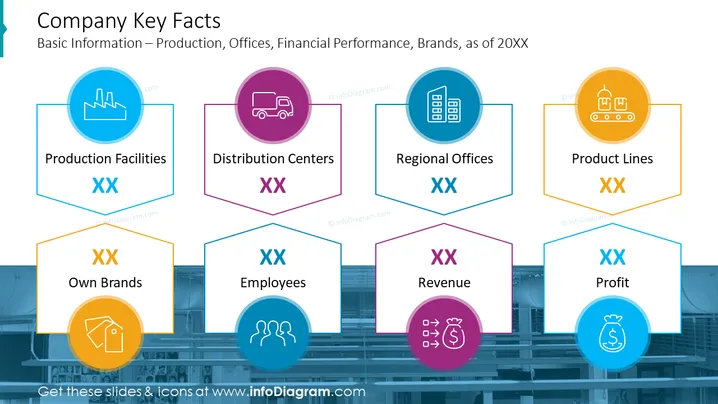
This PowerPoint slide titled "Company Key Facts" provides an overview of a company's basic information, covering various aspects of the business such as production, offices, financial performance, and brands as of a specific year denoted as "20XX". It lists six key facts, each with a placeholder "XX" for numerical data: "Production Facilities" refers to the number of manufacturing sites; "Distribution Centers" indicates the network for product dissemination; "Regional Offices" signifies the extent of administrative presence; "Product Lines" represents the range of different products offered; "Own Brands" denotes the proprietary labels under the company; "Employees" relates to the workforce size; "Revenue" reflects the total income generated; and "Profit" indicates the financial gains after expenses.
The slide has a clean and modern design with a consistent color scheme that visually unifies the informational elements. Each icon is designed to provide an immediate visual cue for the topic it represents, enhancing comprehension.



