
Reviews
The icons are fantastic, easy to use, and will add value to any project or presentation. Keep up the great work.
I love how simple infoDiagram's solutions are and the personal interest they took in my work. Recommended 1000%!
The crisp, clean look of the graphics, and the fact that it allowed me to easily edit and change the colors to match the template was my main reason for purchasing them.
Description
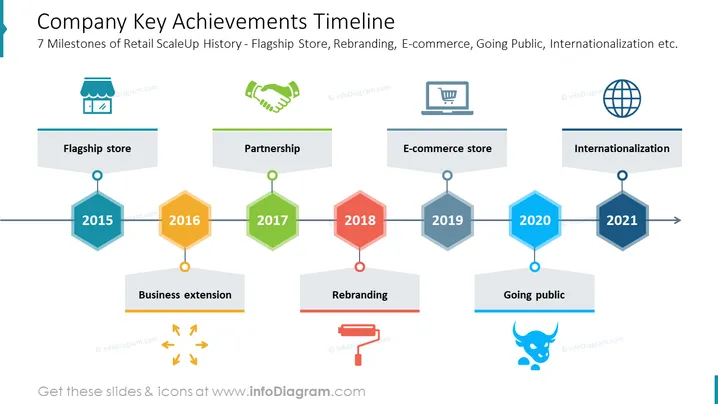
##Slide content: The Company Milestone Template consists of seven key achievements. This PPT slide is an example of a company's milestone from 2015 to 2021. You can explain the company's flagship store which is the business's lead store that opened in 2015. Next, you can describe your company's business extension in 2016. You can also describe your business partnership in 2017, which is an agreement between two or more companies or individuals. You can also explain the rebranding that happened in 2018, which is changing the image of your organization. Then, you can highlight the E-commerce store that opened in 2019. You can also talk about going public and gaining profit which is a major thing that happened in 2020. Finally, you can explain the internationalization that happened in 2021, which is when your company became international. The graphics are editable, so you can highlight the exact years which are important. You can use this PPT slide if you are a manager who wants to highlight your company's major achievements throughout the years. You can download this PPT template on Google Slides and Keynote.
##Slide Infographic Description: White Background, Colorful Company Milestone, Flagship Store Icon, Business Extension Icon, Handshake Icon, Deal Icon, Partnership Icon, Rebranding Icon, E-commerce Icon, Online Shop Icon, Going Public Icon, International Icon, Globalization Icon
How to Edit
How to edit text & colors

How to expand / shorten diagram

How to Replace Icons in infoDiagram PPT


