
Reviews
Your graphics add a nice touch to my presentations and I recently used them for one of my all-hands meetings. Your toolbox adds professionalism to my slides. Instead of using standard clipart.
I needed a fresh look at some of my slides. I've tried to find a way to create a paintbrush effect, to underline, accentuate, add some color and the handwritten markers were just the things. Very easy to use, easy to size, change the color. It was an affordable, perfect solution and I'm happy to recommend it.
The crisp, clean look of the graphics, and the fact that it allowed me to easily edit and change the colors to match the template was my main reason for purchasing them.
Description
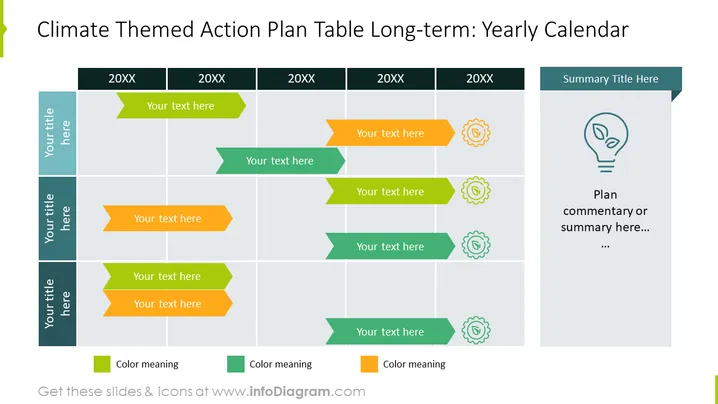
Climate Themed Action Plan Table Long-term: Yearly Calendar
Slide Content
The slide presents a long-term action plan with a yearly calendar format, specifically themed around climate-related activities. The table is structured to allocate space for action items across multiple years labeled "20XX". Each year has rows labeled "Your title here," which likely indicates the area of focus or specific projects. Accompanying each title are arrow-shaped text boxes for elaboration, "Your text here," suggesting detailed descriptions or actions planned for the year. Color-coded keys at the bottom define the significance of different colors used, implicating a categorization or prioritization system.
Graphical Look
- The slide background is white.
- There is a large table with cells shaded in alternating light gray and white to distinguish the different years horizontally.
- Each row starts with a vertical teal band indicating space for a particular title.
- Within the table, there are multicolored arrow shapes of green, yellow, and orange, each containing placeholder text for user input.
- Gear-shaped icons placed next to some arrow shapes perhaps exemplify the operational or mechanical aspect of certain actions or signify settings or adjustments.
- At the top right corner, a separate rectangular box serves as a dedicated space for a "Summary Title" with an adjacent area for "Plan commentary or summary."
- An outlined light bulb icon is also present in the plan summary box, possibly representing ideas, insights, or bright concepts.
- The bottom of the slide includes three color boxes with labels "Color meaning," giving viewers insight into what each arrow's color signifies.
The overall design is clean and organized, using color-coding and icons to facilitate comprehension and engagement. The slide employs shades of green and teal throughout, conveying a theme consistent with the climate and environment.
Use Cases
- To outline long-term environmental sustainability goals and initiatives in a corporate setting.
- For non-profits and NGOs when presenting yearly strategic plans focused on climate action.
- In educational or academic presentations to illustrate a multi-year research or project timeline regarding environmental studies.
- During governmental or public policy meetings to communicate planned climate-related actions and milestones over several years.
How to Edit
How to edit text & colors

How to expand / shorten diagram

How to Replace Icons in infoDiagram PPT


