
Reviews
Ihre Grafiken verleihen meinen Präsentationen eine nette Note, und ich habe sie kürzlich für eines meiner All-Hands-Meetings verwendet. Ihre Toolbox verleiht meinen Folien Professionalität, anstatt Standard-Clipart zu verwenden.
Ich brauchte einen neuen Blick auf einige meiner Folien. Ich habe versucht, einen Weg zu finden, einen Pinselschlag-Effekt zu erzielen, um zu unterstreichen, hervorzuheben, Farbe hinzuzufügen, und die handgeschriebenen Markierungen waren genau das Richtige. Sehr einfach zu bedienen, leicht in der Größe zu ändern, die Farbe zu ändern. Es war eine erschwingliche, perfekte Lösung und ich empfehle sie gerne weiter.
Die klare, saubere Optik der Grafiken und die Tatsache, dass ich die Farben leicht bearbeiten und an die Vorlage anpassen konnte, war mein Hauptgrund für den Kauf.
Description
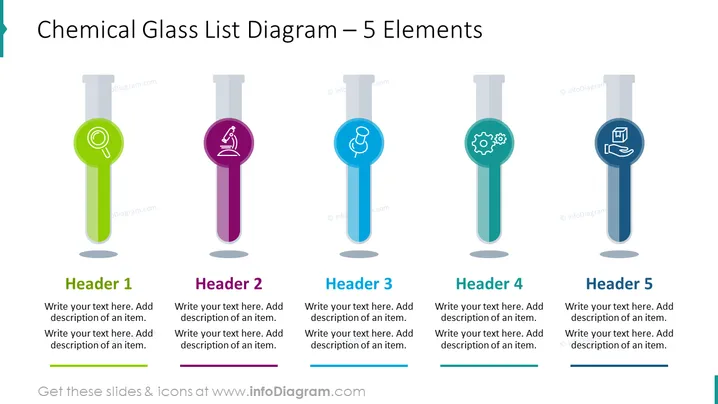
Chemical Glass List Diagram – 5 Elements
Slide Content
The slide titled "Chemical Glass List Diagram – 5 Elements" showcases a visual concept where five test tube graphics are used to present different ideas or components. Each test tube is distinct, corresponding with Headers 1 through 5, and contains an icon symbolizing its subject along with placeholder texts for a header and additional descriptions. This framework is designed to categorize and convey five separate, but possibly related, elements in a visually coherent manner.
Graphical Look
- The slide background is a flat, white color providing a neutral canvas for the content.
- Five test tube illustrations are aligned horizontally across the slide.
- Each test tube has a unique color (green, purple, blue, teal, and navy) and a specific icon within its circle (magnifying glass, microscope, beaker, gears, and book).
- The test tubes are slightly translucent with a subtle gradient, giving a sense of depth.
- Each tube has a shadow effect at the bottom, suggesting they are placed on a surface.
- Above each test tube, there is a designated area for a "Header" followed by a space for descriptive text below.
- The headers and text areas are placeholders for custom content, with a light gray line separating the header and the description area for structure.
The overall look of the slide is clean and modern, with the use of vector graphics providing a professional appearance. The color-coded test tubes allow for easy differentiation between the elements.
Use Cases
- Explaining the components of a scientific process or experiment in educational or research presentations.
- Breaking down the elements of a project plan or business strategy during a business meeting.
- Outlining different service offerings in a company's portfolio during a sales pitch or client presentation.
- Illustrating the stages or milestones in product development for an internal team meeting or stakeholder briefing.
How to Edit
How to edit text & colors

How to expand / shorten diagram

How to Replace Icons in infoDiagram PPT


