
Reviews
Ihre Grafiken verleihen meinen Präsentationen eine nette Note, und ich habe sie kürzlich für eines meiner All-Hands-Meetings verwendet. Ihre Toolbox verleiht meinen Folien Professionalität, anstatt Standard-Clipart zu verwenden.
Ich brauchte einen neuen Blick auf einige meiner Folien. Ich habe versucht, einen Weg zu finden, einen Pinselschlag-Effekt zu erzielen, um zu unterstreichen, hervorzuheben, Farbe hinzuzufügen, und die handgeschriebenen Markierungen waren genau das Richtige. Sehr einfach zu bedienen, leicht in der Größe zu ändern, die Farbe zu ändern. Es war eine erschwingliche, perfekte Lösung und ich empfehle sie gerne weiter.
Die klare, saubere Optik der Grafiken und die Tatsache, dass ich die Farben leicht bearbeiten und an die Vorlage anpassen konnte, war mein Hauptgrund für den Kauf.
Description
Outline Style Icons Set – ScaleUp Company History
Slide Content
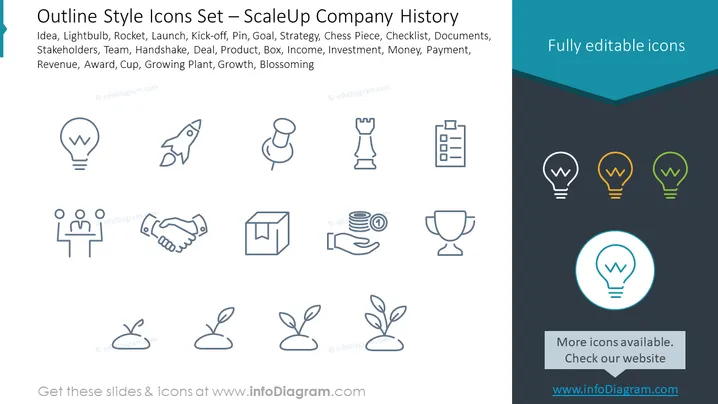
The PowerPoint slide is a collection of outline style icons representing different concepts relevant to a company's growth and operations. Each icon symbolizes a stage or an element of business development and includes: Idea (concept inception), Lightbulb (innovation), Rocket (rapid growth), Launch (product/service launch), Kick-off (project initiation), Pin (noteworthy points/marking), Goal (objectives), Strategy (planning and tactics), Chess Piece (strategic moves/decisions), Checklist (task tracking), Documents (paperwork), Stakeholders (involved parties), Team (collaborative unit), Handshake (agreements), Deal (business transaction), Product (goods/services), Income (earnings), Investment (financial infusion), Money (currency), Payment (transactions), Revenue (inflow from sales), Award (recognition), Cup (trophy/achievement), Growing Plant (development), Growth (expansion), Blossoming (flourishing).
Graphical Look
- The slide background is divided into dark teal at the top and light gray at the bottom with a sharp delineation between them.
- A light blue ribbon underlines the slide title at the top.
- Icons are arranged in three rows with four icons per row, equally spaced, and depicted in a light blue outline style.
- The colors of the icons are consistent, except for the lightbulb icon repeated on the right side, which is shown in three different colors (yellow, orange, green) and is highlighted by a circle around it.
- Below the multi-colored lightbulb icons, there is a text box with a call-to-action saying "More icons available. Check our website" over a dark teal background.
- The icon design is minimalistic, using simple lines and shapes to convey each concept.
The overall look of the slide is clean, with a professional and modern design. The use of colors is limited to create a coherent ### Use Cases
- Presenting company milestones and history in a timeline format during an internal meeting or corporate presentation.
- Highlighting key components of a business plan or strategy in an entrepreneur pitch to potential investors.
- Illustrating various stages of a project or product development during a management or team briefing.
- Creating educational materials for training sessions that outline important business processes or concepts.
How to Edit
How to edit text & colors

How to expand / shorten diagram

How to Replace Icons in infoDiagram PPT


