
Reviews
Your slides are my 'secret sauce' when it comes to visualising my ideas to clients. I'm saving so much time.
InfoDiagram has been a wonderful resource since I found the product site a few years ago.
Your slides often generate good comments and ideas from my team that improve the final slides.
Description
Your sample text here
Slide Content
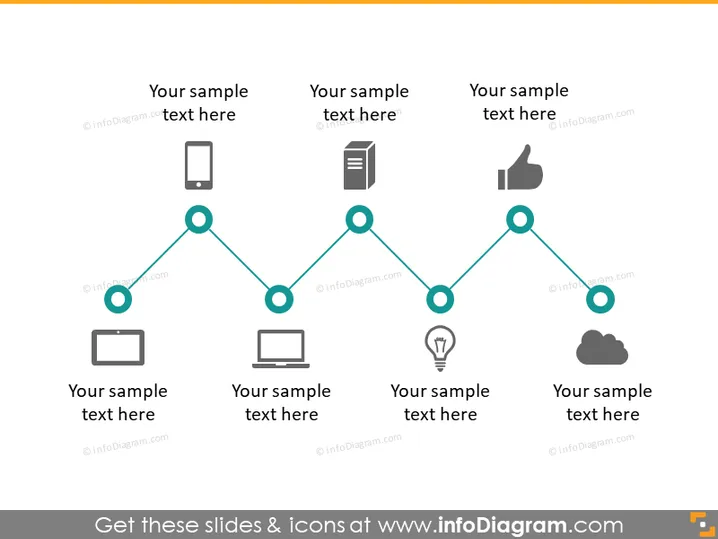
This slide seems to represent a sequence or process flow with six steps, each accompanied by an icon and placeholder text indicating where a presenter can add their specific content. The icons suggest stages involving different technologies or concepts, perhaps showing a progression from mobile devices to cloud computing. Each step provides space for a brief description, allowing a detailed explanation of the process or guidelines at every point.
Graphical Look
- A series of teal-colored lines and circles creates a horizontal timeline across the slide.
- Each circle along the timeline has an icon above it, representing different stages or elements — a smartphone, a document, a 'thumbs up', a computer monitor, a light bulb, and a cloud.
- The icons are minimalist and gray, except for the cloud symbol which is slightly darker.
- Below each circle, there is a placeholder text where explanatory text can be added.
- The line connecting the icons has small circular nodes at each connecting point, emphasizing the stepwise nature of the process.
The overall look is clean and modern, with a minimalist design that directs focus to the icons and the accompanying text. The monochrome color scheme with teal accents gives the slide a professional appearance.
Use Cases
- Illustrating a step-by-step process in a business plan or project presentation.
- Outlining phases in product development or a marketing strategy to stakeholders.
- Demonstrating a workflow or a sequence of actions in an instructional or training session.
- Summarizing a timeline of events or milestones in a company report or update.
How to Edit
How to edit text & colors

How to expand / shorten diagram

How to Replace Icons in infoDiagram PPT


