
Reviews
Deine Folien sind meine 'geheime Zutat', wenn es darum geht, meine Ideen Kunden zu visualisieren. Ich spare so viel Zeit.
Ihre Folien führen oft zu guten Kommentaren und Ideen meines Teams, die die endgültigen Folien verbessern.
Description
Item 1 & Item 2
Slide Content
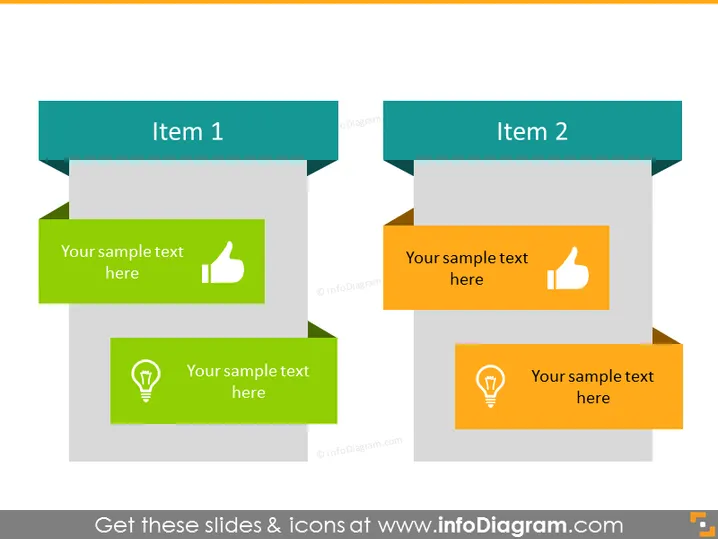
The PowerPoint slide presents a comparison model between "Item 1" and "Item 2" with space for descriptive text underneath each item. "Your sample text here" indicates placeholders for detailed explanations. Both items have a positive thumbs-up icon, suggesting approval or positive features. Additionally, each has a light bulb icon, which typically symbolizes ideas or insights. This slide seems to encourage comparing the positive aspects or innovative ideas associated with two different concepts or proposals.
Graphical Look
- Two large rectangle headers in a deep teal color, labeled "Item 1" and "Item 2".
- Four content placeholders in two different shades of green and orange, with contrasting thumbs-up and light bulb icons to the left.
- The icons are white set against circular backgrounds that complement their respective placeholder colors.
- Each header is connected with a dark grey line to its corresponding placeholders, giving a structured flow to the slide.
- The slide has a clean, flat design with no texture, shadows, or gradients, focusing on clarity and readability. The slide features a balanced and clear layout with a professional and modern aesthetic. The use of color coding aids in distinguishing between the two items and their associated points.
Use Cases
- Comparing the benefits or key features of two different products or services.
- Highlighting the positive outcomes or successful aspects of two projects or initiatives.
- Discussing the innovative qualities or unique selling points between two options in a business proposal.
- Facilitating a discussion about preferences or decisions when weighing two alternatives in a team meeting.
How to Edit
How to edit text & colors

How to expand / shorten diagram

How to Replace Icons in infoDiagram PPT


