
Reviews
Your graphics add a nice touch to my presentations and I recently used them for one of my all-hands meetings. Your toolbox adds professionalism to my slides. Instead of using standard clipart.
I needed a fresh look at some of my slides. I've tried to find a way to create a paintbrush effect, to underline, accentuate, add some color and the handwritten markers were just the things. Very easy to use, easy to size, change the color. It was an affordable, perfect solution and I'm happy to recommend it.
The crisp, clean look of the graphics, and the fact that it allowed me to easily edit and change the colors to match the template was my main reason for purchasing them.
Description
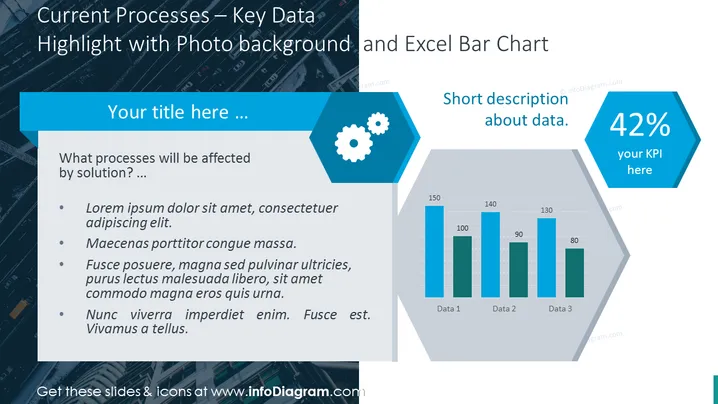
Current Processes – Key Data Highlight with Photo background and Excel Bar Chart
Slide Content:
The PowerPoint slide is designed to present key data related to current processes, with a specific focus on how they will be impacted by a solution. It includes placeholder text that suggests discussing affected processes and elaborating on them with points such as problem identification, potential improvements, and expected outcomes. The slide is tailored for users to input their specific content into the provided template.
Graphical Look:
- A prominent title section at the top with a light blue background.
- A sidebar on the left with a light grey background for text content, containing bullet points.
- A hexagonal icon with a gear symbol.
- A bar chart graphic on the right side, showing comparative data across three categories.
- A hexagonal shape on the right, displaying '42% your KPI' as an example of key performance indicators.
The slide design is sleek and modern, with a photo background providing a dynamic look while the blue and grey color scheme maintains a professional appearance. The use of hexagons for icons and data emphasis adds a geometric and structured feel to the slide.
Use Cases:
- To showcase process-related metrics in a management or team meeting.
- For reporting progress or changes in operational efficiency during quarterly business reviews.
- In a consulting presentation to illustrate the impact of proposed solutions on client processes.
- As part of a performance dashboard in a corporate strategy session.
How to Edit
How to edit text & colors

How to expand / shorten diagram

How to Replace Icons in infoDiagram PPT


