

Your graphics add a nice touch to my presentations and I recently used them for one of my all-hands meetings. Your toolbox adds professionalism to my slides. Instead of using standard clipart.
Claude Jones, Director of Engineer, @Walmartlabs, USA

Your graphics add a nice touch to my presentations and I recently used them for one of my all-hands meetings. Your toolbox adds professionalism to my slides. Instead of using standard clipart.
Claude Jones, Director of Engineer, @Walmartlabs, USA
I needed a fresh look at some of my slides. I've tried to find a way to create a paintbrush effect, to underline, accentuate, add some color and the handwritten markers were just the things. Very easy to use, easy to size, change the color. It was an affordable, perfect solution and I'm happy to recommend it.
Anonymous, US
The crisp, clean look of the graphics, and the fact that it allowed me to easily edit and change the colors to match the template was my main reason for purchasing them.
Brandie Jenkins, E-learning Developer, USA
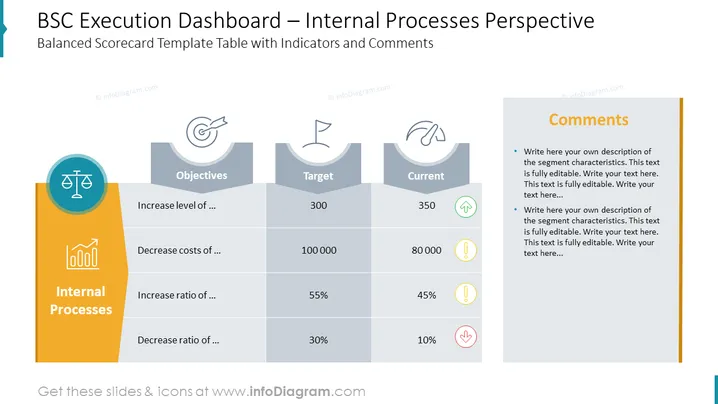
The PowerPoint slide is designed as a Balanced Scorecard (BSC) template, focusing on the internal processes perspective of an organization. It lays out objectives such as increasing and decreasing specific levels or ratios, alongside corresponding target and current values for each objective. An additional column is reserved for comments. Decreasing costs or ratios could imply cost optimization strategies, while increasing levels might reference improvements in efficiency or productivity.
The overall look is structured and organized, geared towards easy interpretation of performance metrics. The use of icons and color coding aids in quick comprehension and highlights important data points.



