
Reviews
Ihre Grafiken verleihen meinen Präsentationen eine nette Note, und ich habe sie kürzlich für eines meiner All-Hands-Meetings verwendet. Ihre Toolbox verleiht meinen Folien Professionalität, anstatt Standard-Clipart zu verwenden.
Ich brauchte einen neuen Blick auf einige meiner Folien. Ich habe versucht, einen Weg zu finden, einen Pinselschlag-Effekt zu erzielen, um zu unterstreichen, hervorzuheben, Farbe hinzuzufügen, und die handgeschriebenen Markierungen waren genau das Richtige. Sehr einfach zu bedienen, leicht in der Größe zu ändern, die Farbe zu ändern. Es war eine erschwingliche, perfekte Lösung und ich empfehle sie gerne weiter.
Die klare, saubere Optik der Grafiken und die Tatsache, dass ich die Farben leicht bearbeiten und an die Vorlage anpassen konnte, war mein Hauptgrund für den Kauf.
Description
Icons – Business & Status Symbols
Slide Content
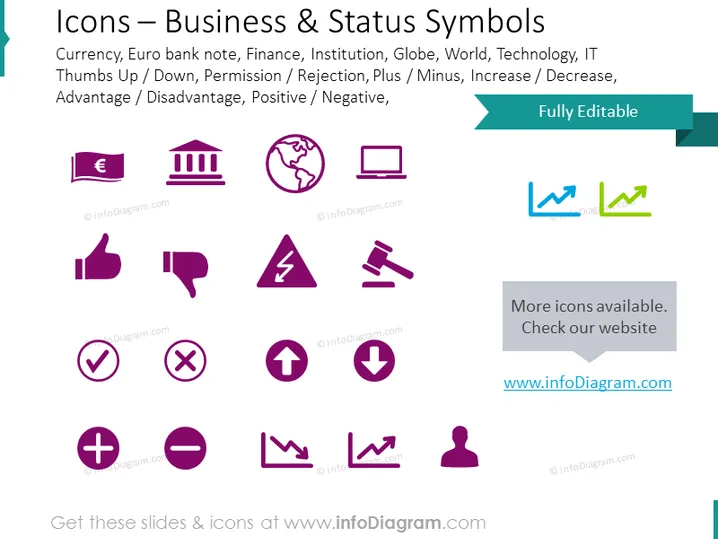
The slide showcases a collection of icons representing various business and status concepts such as currencies with a Euro banknote icon, financial institutions with a building icon, global reach with a globe icon, technology with a laptop icon, reactions such as approval with thumbs up/down icons, decision-making expressed by check/x marks, changes through plus/minus symbols, and the dynamics of graphs indicating upward or downward trends. Each icon serves as a visual shorthand for the concept it represents, facilitating quicker comprehension and engagement in a business context.
Graphical Look
- Three lines of text are separated by icon sets.
- The first line includes three icons: a Euro banknote, a building, and a globe.
- The second line has four icons: thumbs up, thumbs down, danger/warning, and a hammer.
- The third line exhibits four symbols: a checkmark, a cross mark, an upward arrow, and a downward arrow.
- The fourth line contains four mathematical or change-related icons: plus, minus, and two kinds of line graphs.
- Each icon is designed in a simplistic flat design style with a purple color scheme.
- The title of the slide is in a large font at the top of the slide.
- A teal-colored ribbon in the top right corner states the slide is "Fully Editable," aligned with a smaller statement below it prompting to check out more icons on a website.
- Visual elements are evenly spaced and aligned for a clean and structured appearance.
The slide has a modern and professional look with a consistent color theme of purple and teal. The icons are clear and easy to understand, which aids in quickly conveying the concepts they represent.
Use Cases
- To visually communicate complex ideas in a straightforward manner during business presentations.
- Ideal for summarizing key points in executive meetings where time is limited and clarity is crucial.
- Enhancing training materials with recognizable symbols to promote better recall of information.
- Can be used in marketing materials to represent services or features without relying heavily on text.
How to Edit
How to edit text & colors

How to expand / shorten diagram

How to Replace Icons in infoDiagram PPT


