
Reviews
The icons are fantastic, easy to use, and will add value to any project or presentation. Keep up the great work.
I love how simple infoDiagram's solutions are and the personal interest they took in my work. Recommended 1000%!
The crisp, clean look of the graphics, and the fact that it allowed me to easily edit and change the colors to match the template was my main reason for purchasing them.
Description
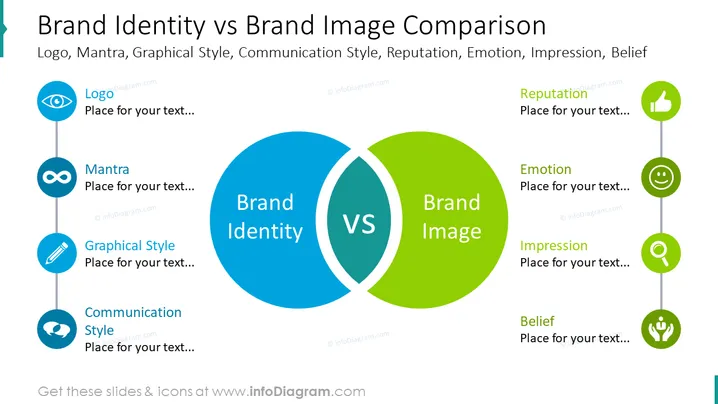
##Slide content This is the Brand Identity Vs Brand Image Comparison Slide. The components of brand identity are the company's logo, mantra, graphical style, and communication style. On the other hand, the components of brand image are the company's reputation, emotions, the impression it has on customers, and beliefs. You can use this PowerPoint slide if you are a marketing manager who wants to explain the difference between brand identity and brand image. You can download this PPT template on Google Slides and Keynote.
##Slide Infographic Description: White Background, Text Box, Eye Icon, Logo Icon, Infinity Icon, Mantra Icon, Pencil Icon, Dialogue Icon, Thumbs Up Icon, Reputation Icon, Smiley Face Icon, Emotion Icon, Magnifying Glass Icon, Belief Icon
How to Edit
How to edit text & colors

How to expand / shorten diagram

How to Replace Icons in infoDiagram PPT


