
Reviews
Sus gráficos añaden un toque agradable a mis presentaciones y recientemente los usé para una de mis reuniones generales. Su conjunto de herramientas añade profesionalismo a mis diapositivas. En lugar de usar imágenes prediseñadas estándar.
Necesitaba un aspecto fresco para algunas de mis diapositivas. Había intentado encontrar una forma de crear un efecto de pincel, de subrayar, acentuar, añadir algo de color y los marcadores escritos a mano fueron justo lo que necesitaba. Muy fácil de usar, fácil de ajustar el tamaño, cambiar el color. Fue una solución asequible y perfecta, y estoy feliz de recomendarla.
El aspecto nítido y limpio de los gráficos, y el hecho de que me permitiera editar y cambiar fácilmente los colores para que coincidieran con la plantilla fue mi principal razón para comprarlos.
Description
BPA Services Offer Portfolio List
Slide Content
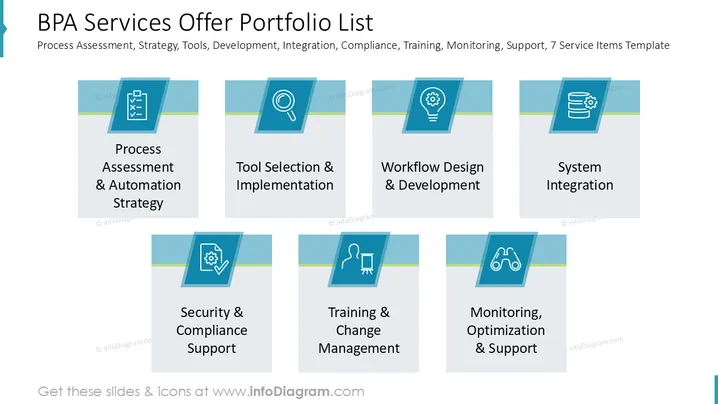
The slide outlines a portfolio of BPA (Business Process Automation) services. It includes the following items: Process Assessment & Automation Strategy, which involves evaluating current processes and devising automation plans; Tool Selection & Implementation, identifying the best tools for automation; Workflow Design & Development, creating efficient workflows; System Integration, ensuring seamless communication between systems; Security & Compliance Support, maintaining standards and regulations; Training & Change Management, preparing staff for transitions; and Monitoring, Optimization & Support, continual improvement of processes.
Graphical Look
-
The slide uses a clean and modern layout divided into two rows of four rectangular boxes.
-
Each box contains an icon at the top, supported by a blue rectangular cap with a shadow effect, adding depth.
-
Icons are white on a blue background: a checklist, tool set, lightbulb, database, shield, person with a screen, binoculars.
-
Boxes are aligned neatly, each with a light blue and green dividing line enhancing visual separation.
-
Background is plain white, ensuring a clear and professional appearance for the content.
The overall look is professional and well-organized, with a consistent color scheme that emphasizes clarity and structure.
Use Cases
- Business Strategy Presentations: Highlight automation services to stakeholders.
- IT Consulting Workshops: Educate clients on available BPA services.
- Training Sessions: Guide employees on new BPA tools and processes.
- Project Kick-off Meetings: Introduce project scope and service offerings.
How to Edit
How to edit text & colors

How to expand / shorten diagram

How to Replace Icons in infoDiagram PPT


