
Reviews
Sus gráficos añaden un toque agradable a mis presentaciones y recientemente los usé para una de mis reuniones generales. Su conjunto de herramientas añade profesionalismo a mis diapositivas. En lugar de usar imágenes prediseñadas estándar.
Necesitaba un aspecto fresco para algunas de mis diapositivas. Había intentado encontrar una forma de crear un efecto de pincel, de subrayar, acentuar, añadir algo de color y los marcadores escritos a mano fueron justo lo que necesitaba. Muy fácil de usar, fácil de ajustar el tamaño, cambiar el color. Fue una solución asequible y perfecta, y estoy feliz de recomendarla.
El aspecto nítido y limpio de los gráficos, y el hecho de que me permitiera editar y cambiar fácilmente los colores para que coincidieran con la plantilla fue mi principal razón para comprarlos.
Description
BPA Icons. People, Communication
Slide Content
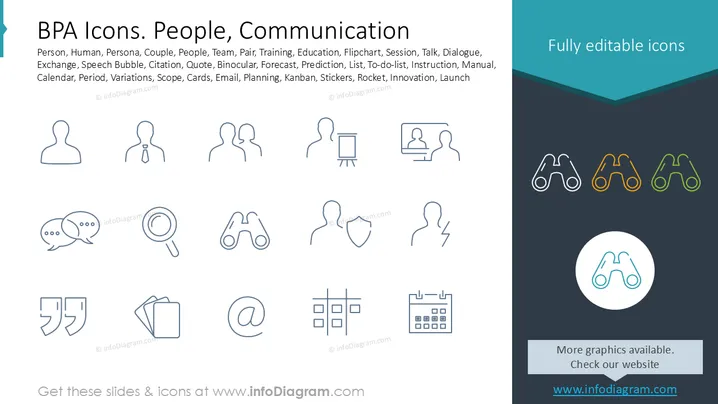
The slide presents a collection of icons related to people and communication. It includes symbols for concepts such as a person (human representation), persona (character profile), couple (pair of individuals), team (group collaboration), and education (learning environment). Other icons represent communication tools like a speech bubble (conversation), binoculars (vision or prediction), and a calendar (time management). These icons are designed to help illustrate concepts in business process automation.
Graphical Look
- The slide has a minimalist design with a white background.
- Icons are sketched with thin, dark lines, providing a clean and simple look.
- The right panel is dark with a teal accent, featuring additional binocular icons in various colors.
- There are two sections, with the left primarily showing icon samples and the right housing a highlighted visual section.
- The teal and dark gray color scheme gives a professional, yet modern visual aesthetic.
- Text is used sparingly, ensuring the icons remain the focal point.
The overall design is clean with a focus on simplicity and clarity, making it easy to integrate into varied presentation styles. The combination of line-drawn icons and contrasting color palettes makes the slide visually appealing and functional.
Use Cases
- Explaining business processes and workflows.
- Illustrating training or educational content.
- Enhancing presentations on team dynamics or leadership.
- Visualizing communication strategies or tools in a clear manner.
How to Edit
How to edit text & colors

How to expand / shorten diagram

How to Replace Icons in infoDiagram PPT


