
Reviews
Sus gráficos añaden un toque agradable a mis presentaciones y recientemente los usé para una de mis reuniones generales. Su conjunto de herramientas añade profesionalismo a mis diapositivas. En lugar de usar imágenes prediseñadas estándar.
Necesitaba un aspecto fresco para algunas de mis diapositivas. Había intentado encontrar una forma de crear un efecto de pincel, de subrayar, acentuar, añadir algo de color y los marcadores escritos a mano fueron justo lo que necesitaba. Muy fácil de usar, fácil de ajustar el tamaño, cambiar el color. Fue una solución asequible y perfecta, y estoy feliz de recomendarla.
El aspecto nítido y limpio de los gráficos, y el hecho de que me permitiera editar y cambiar fácilmente los colores para que coincidieran con la plantilla fue mi principal razón para comprarlos.
Description
BPA Icons. Office Docs and Values
Slide Content
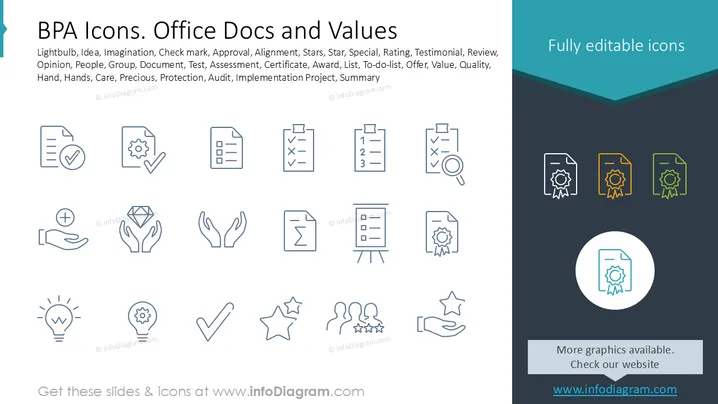
The slide presents a collection of icons representing concepts used in office documents and values. Icons cover a range of practical applications such as a lightbulb for idea generation, checkmarks for approvals, checklist items for action alignment, stars for rating quality, and hands for offering care or protection. Additional icons illustrate themes like opinion sharing, document assessments, certifications, teamwork, and project summaries. The visual diversity supports a wide array of business and documentation needs.
Graphical Look
- The left side of the slide features line-drawn icons in blue, representing various office-related concepts.
- Icons are symmetric and organized in a grid pattern, providing a neat and structured composition.
- The right side contains a dark blue vertical banner highlighting “Fully editable icons” with three sample icons in different colors: grey, orange, and green.
- The overall style is minimalistic and clean, ensuring that the icons are clear and easy to understand.
The slide's balanced layout with its clear iconography makes it versatile for professional settings. The combination of muted colors and clean lines ensures a professional aesthetic suitable for various purposes.
Use Cases
- Use this slide in corporate training sessions to illustrate key concepts.
- Apply these icons in business reports to visually represent data and processes.
- Incorporate these visuals into project management presentations to signify task elements.
- Employ the icons in marketing materials to convey organizational values effectively.
How to Edit
How to edit text & colors

How to expand / shorten diagram

How to Replace Icons in infoDiagram PPT


