
Reviews
Ihre Grafiken verleihen meinen Präsentationen eine nette Note, und ich habe sie kürzlich für eines meiner All-Hands-Meetings verwendet. Ihre Toolbox verleiht meinen Folien Professionalität, anstatt Standard-Clipart zu verwenden.
Ich brauchte einen neuen Blick auf einige meiner Folien. Ich habe versucht, einen Weg zu finden, einen Pinselschlag-Effekt zu erzielen, um zu unterstreichen, hervorzuheben, Farbe hinzuzufügen, und die handgeschriebenen Markierungen waren genau das Richtige. Sehr einfach zu bedienen, leicht in der Größe zu ändern, die Farbe zu ändern. Es war eine erschwingliche, perfekte Lösung und ich empfehle sie gerne weiter.
Die klare, saubere Optik der Grafiken und die Tatsache, dass ich die Farben leicht bearbeiten und an die Vorlage anpassen konnte, war mein Hauptgrund für den Kauf.
Description
3D Boxes List of Steps – 6 Items Template
Slide Content
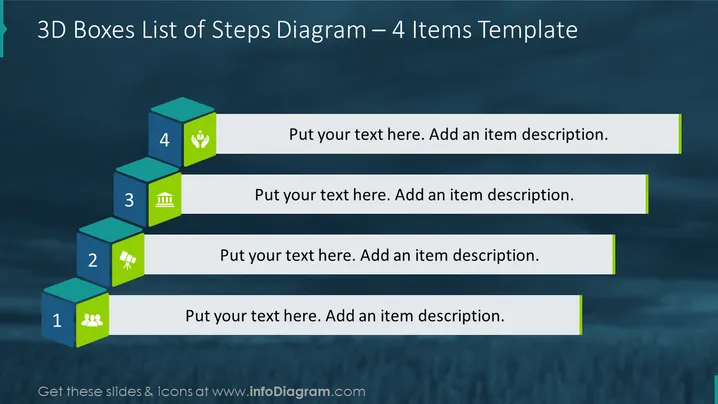
The slide titled "3D Boxes List of Steps – 6 Items Template" illustrates a process or a sequence of six steps. Each step is denoted by a 3D box with a unique number from 1 to 6, and an adjacent text placeholder for descriptions. The boxes are arranged diagonally, conveying progression or hierarchy. Each box also features an icon of a building, suggesting that this template might be tailored for construction, real estate, or project development topics.
Graphical Look
- A series of six 3D-styled colored boxes aligned diagonally across the slide.
- Each box is assigned a different color and has a corresponding number from 1 to 6.
- Icons resembling a building are consistently placed inside each box.
- Grey lines connect the boxes, creating a visual path from the bottom to the top.
- Text placeholders to the right of each box, intended for explanatory text.
- Each text placeholder is aligned horizontally and connected to its corresponding box with a purple line.
The slide uses a minimalist design, with a clear and clean layout which effectively draws the viewer’s attention to the sequence of steps. The use of 3D boxes and diagonal arrangement adds depth, emphasizing the progression from step 1 to 6.
Use Cases
- Illustrating step-by-step processes or workflows in business presentations.
- Outlining stages of project development or implementation plans.
- Demonstrating a sequential approach to problem-solving during strategic meetings.
- Depicting a timeline of actions or milestones in project management updates.
How to Edit
How to edit text & colors

How to expand / shorten diagram

How to Replace Icons in infoDiagram PPT


