
Reviews
Ihre Grafiken verleihen meinen Präsentationen eine nette Note, und ich habe sie kürzlich für eines meiner All-Hands-Meetings verwendet. Ihre Toolbox verleiht meinen Folien Professionalität, anstatt Standard-Clipart zu verwenden.
Ich brauchte einen neuen Blick auf einige meiner Folien. Ich habe versucht, einen Weg zu finden, einen Pinselschlag-Effekt zu erzielen, um zu unterstreichen, hervorzuheben, Farbe hinzuzufügen, und die handgeschriebenen Markierungen waren genau das Richtige. Sehr einfach zu bedienen, leicht in der Größe zu ändern, die Farbe zu ändern. Es war eine erschwingliche, perfekte Lösung und ich empfehle sie gerne weiter.
Die klare, saubere Optik der Grafiken und die Tatsache, dass ich die Farben leicht bearbeiten und an die Vorlage anpassen konnte, war mein Hauptgrund für den Kauf.
Description
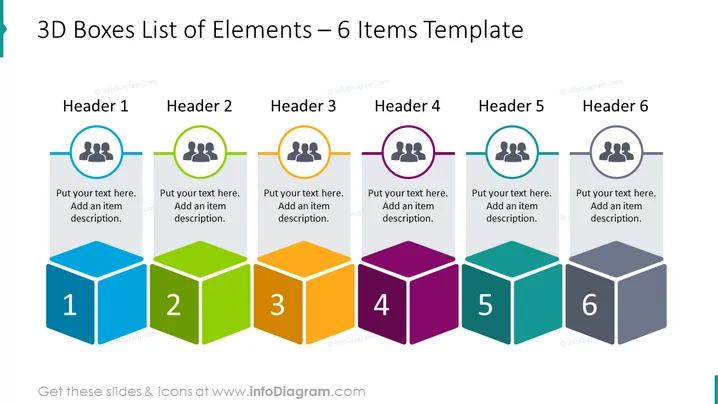
3D Boxes List of Elements – 6 Items Template
Slide Content
The slide presents a template for listing elements, broken down into six items, each with a dedicated space for a header and additional text. "Header 1" through "Header 6" suggest a spot to title each element, while the adjacent text boxes encourage a brief descriptor or explanation of the concept. The numbers 1 to 6 mark the individual items, implying a sequence or steps in a process. This structured approach enables clear delineation of concepts or stages within a given topic.
Graphical Look
- A series of six 3D-styled boxes, each with a distinct bright color: blue, green, orange, purple, teal, and gray, arranged horizontally across the slide.
- Above each box is a circular icon containing three human figures, surrounded by a colored ring matching the box below.
- Each icon is connected to its respective box by a thin, gray line that emphasizes the alignment and connection between the icon and the text box.
- The boxes are labeled with large white numbers, 1 through 6, suggesting a sequence.
- Adjacent to each icon, there is a short rectangular text box with placeholder text "Put your text here. Add an item description." It sits against a light gray background that extends to the edge of the slide.
- Each header is denoted by a bold, capitalized word—ranging from "Header 1" to "Header 6"—placed above the icons.
The slide has a clean, professional look with a balanced use of color to visually separate each item. Icons and text provide a clear hierarchy and point of engagement for the viewer.
Use Cases
- Illustrating steps in a business process or workflow with clear numerical progression.
- Outlining key features of a product or service, giving each its own distinguishable section.
- Presenting a list of objectives or goals during strategic planning sessions.
- Breaking down project timelines or milestones into manageable parts in project management presentations.
How to Edit
How to edit text & colors

How to expand / shorten diagram

How to Replace Icons in infoDiagram PPT


