
Reviews
Your graphics add a nice touch to my presentations and I recently used them for one of my all-hands meetings. Your toolbox adds professionalism to my slides. Instead of using standard clipart.
I needed a fresh look at some of my slides. I've tried to find a way to create a paintbrush effect, to underline, accentuate, add some color and the handwritten markers were just the things. Very easy to use, easy to size, change the color. It was an affordable, perfect solution and I'm happy to recommend it.
The crisp, clean look of the graphics, and the fact that it allowed me to easily edit and change the colors to match the template was my main reason for purchasing them.
Description
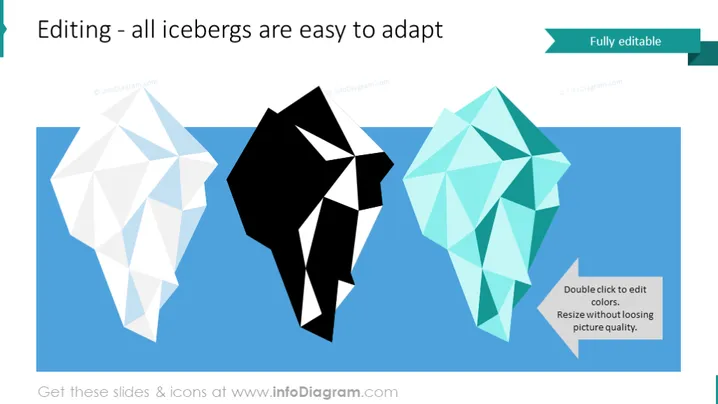
Editing - all icebergs are easy to adapt
Slide Content
The slide seems centered around customization and adaptability, using the metaphor of icebergs to illustrate elements that can be modified. Each iceberg graphic likely represents a concept or a component that can be easily changed according to the user's needs. The accompanying text reinforces the idea that each element is "Fully editable," signifying that the user can double-click to change colors and resize without losing image quality.
Graphical Look
- Three stylized iceberg polygons in white, black, and turquoise colors, appearing to float on a blue background which likely represents water.
- A dark green rectangular shape in the upper right corner with the text "Fully editable" in white, contrasting with the slide's overall color theme.
- A textbox with white background, repeating "Fully editable" and providing additional instructions: "Double click to edit colors. Resize without loosing picture quality."
- A lighter blue palette for the slide background, which is soothing to the eyes and complements the iceberg graphics.
- The use of drop shadows behind the icebergs adds a sense of depth to the graphics.
The slide has a clean, modern look with a minimalistic design. The ample negative space around the objects ensures the viewer's focus remains on the editable iceberg elements.
Use Cases
- Introducing customizable features of a software or digital product.
- Demonstrating the flexibility and adaptability of a service or solution.
- During workshops or tutorials on editing or personalizing digital content.
- In a marketing or sales presentation to highlight the ease of customizing a product to suit diverse customer needs.
How to Edit
How to edit text & colors

How to expand / shorten diagram

How to Replace Icons in infoDiagram PPT


