
Reviews
Your graphics add a nice touch to my presentations and I recently used them for one of my all-hands meetings. Your toolbox adds professionalism to my slides. Instead of using standard clipart.
I needed a fresh look at some of my slides. I've tried to find a way to create a paintbrush effect, to underline, accentuate, add some color and the handwritten markers were just the things. Very easy to use, easy to size, change the color. It was an affordable, perfect solution and I'm happy to recommend it.
The crisp, clean look of the graphics, and the fact that it allowed me to easily edit and change the colors to match the template was my main reason for purchasing them.
Description
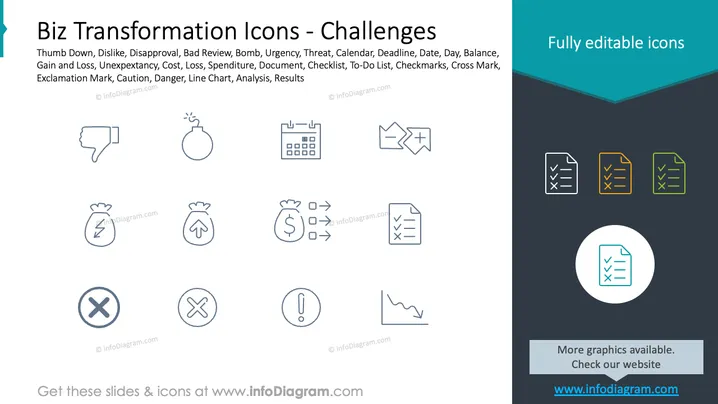
Biz Transformation Icons - Challenges
Slide Content
The PowerPoint slide titled "Biz Transformation Icons - Challenges" presents a collection of icons representing various obstacles and negative outcomes that can occur during business transformation. These include a thumbs down for disapproval, a bomb for urgency or threat, a calendar for deadlines, arrows depicting balance or gain and loss, a bag of money for cost or loss, a checklist for tasks, crossed out checkmarks illustrating mistakes or issues, an exclamation mark for caution or danger, and a line chart representing analysis or results. Each icon serves to visually communicate a specific concept related to challenges in business scenarios.
Graphical Look
- The background is divided into two sections: white on the left and dark blue on the right.
- The slide title is set in dark blue text aligned to the left.
- A teal-colored shape underlines the slide title on the top left.
- A collection of nine outlined icons spread across the slide, suggesting different business concepts.
- Each icon is paired with a short descriptive text below it, in a smaller font size.
- On the right, a bold statement in white letters reads "Fully editable icons," highlighted against the dark background.
- The edge of the slide has a contrasting fold effect with a lighter shade of blue, adding a sense of depth.
The slide features a clean and modern design with simple line icons that are easy to understand. The contrasting colors are used to create a visual distinction between the editable icons section and the content area.
Use Cases
- Illustrating potential challenges during a business transformation presentation.
- Using as part of a risk assessment or SWOT analysis segment in a business strategy meeting.
- Incorporating into training materials to discuss problem-solving or crisis management.
- Enhancing a project management presentation to address potential setbacks or obstacles.
How to Edit
How to edit text & colors

How to expand / shorten diagram

How to Replace Icons in infoDiagram PPT


