
Reviews
Ihre Grafiken verleihen meinen Präsentationen eine nette Note, und ich habe sie kürzlich für eines meiner All-Hands-Meetings verwendet. Ihre Toolbox verleiht meinen Folien Professionalität, anstatt Standard-Clipart zu verwenden.
Ich brauchte einen neuen Blick auf einige meiner Folien. Ich habe versucht, einen Weg zu finden, einen Pinselschlag-Effekt zu erzielen, um zu unterstreichen, hervorzuheben, Farbe hinzuzufügen, und die handgeschriebenen Markierungen waren genau das Richtige. Sehr einfach zu bedienen, leicht in der Größe zu ändern, die Farbe zu ändern. Es war eine erschwingliche, perfekte Lösung und ich empfehle sie gerne weiter.
Die klare, saubere Optik der Grafiken und die Tatsache, dass ich die Farben leicht bearbeiten und an die Vorlage anpassen konnte, war mein Hauptgrund für den Kauf.
Description
All shapes are easy to modify
Slide Content
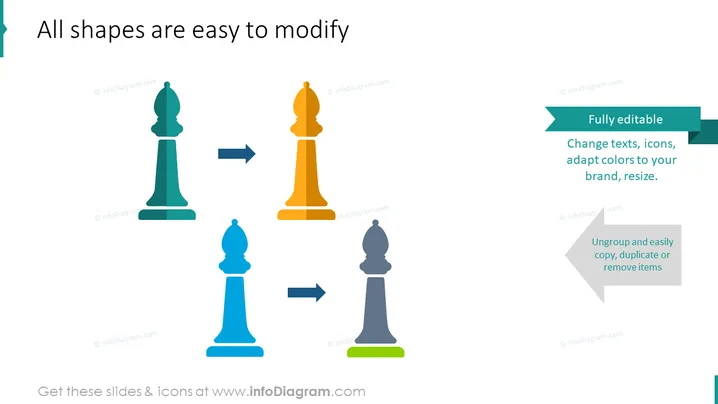
The slide seems to be emphasizing the ease of customization for shapes within a presentation tool. It asserts that all shapes are easy to modify, highlighting that it is fully editable; users can change texts, icons, adapt colors to brand requirements, and resize elements. Additionally, the ability to ungroup items along with the simplicity of copying, duplicating, or removing items is also noted. These statements are reinforced by arrow graphics indicating the transformation of chess piece shapes, suggesting a metaphor for strategic changes or adaptations.
Graphical Look
- The slide background is plain white for clarity.
- The title is prominent and aligned to the left in black text.
- Four stylized chess pieces (icons) are centered in the slide, arranged horizontally and spaced evenly.
- These chess pieces vary in color (teal, gold, light blue, and dark grey) and are connected by directional arrows, indicating a sequential or transformative relationship.
- To the right, a stylized text box with a green ribbon header contains the phrase "Fully editable" in white while the supporting text is black.
- Below this box, another similar text box but with a grey arrow header includes the words "Ungroup and easily copy, duplicate or remove items" in a lighter shade of grey.
- Textual information is well-organized and uses contrasting colors to distinguish header bars from body text.
The visual composition of the slide is simple and clear, with icons and text sections making effective use of spacing and alignment to guide the viewer's attention. The use of arrows and contrasting colors in the slide provides a visual representation of the modification process.
Use Cases
- Demonstrating PowerPoint or design software features during a training or tutorial session.
- Introducing a design template or toolkit in a business meeting to show potential customization.
- Showcasing the adaptability and ease of use of a company's digital assets during a proposal or sales pitch.
- Emphasizing the concept of flexible strategies and adaptation within a corporate strategy presentation.
How to Edit
How to edit text & colors

How to expand / shorten diagram

How to Replace Icons in infoDiagram PPT


