
Reviews
Your graphics add a nice touch to my presentations and I recently used them for one of my all-hands meetings. Your toolbox adds professionalism to my slides. Instead of using standard clipart.
I needed a fresh look at some of my slides. I've tried to find a way to create a paintbrush effect, to underline, accentuate, add some color and the handwritten markers were just the things. Very easy to use, easy to size, change the color. It was an affordable, perfect solution and I'm happy to recommend it.
The crisp, clean look of the graphics, and the fact that it allowed me to easily edit and change the colors to match the template was my main reason for purchasing them.
Description
Administration
Slide Content
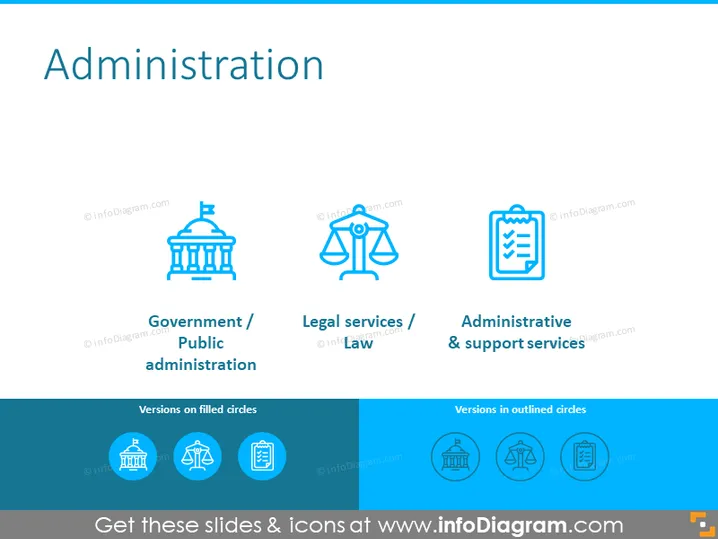
The PowerPoint slide titled "Administration" appears to present three key aspects of administrative services. The first aspect is "Government / Public administration," which implies the governance and bureaucratic functions in the public sector. The second is "Legal services / Law," indicating services that handle legal matters, justice, and law enforcement. Lastly, "Administrative & support services" encompasses various support functions that aid the running of an organization or institution.
Graphical Look
- The title "Administration" is prominently displayed at the top of the slide in large, bold text.
- Three sets of icons and text are aligned horizontally across the slide.
- The first icon depicts a classical building, representing "Government / Public administration."
- The second icon features a balance scale, symbolizing "Legal services / Law."
- The third icon shows a clipboard with a checkmark, signifying "Administrative & support services."
- Below the icons and their descriptions are two more icons that appear to be related versions of the earlier ones: a filled circle with a building and a circle containing a balance scale and clipboard.
- Each icon is accompanied by a short description in smaller text, providing context for the imagery.
- The slide uses a clean and minimalistic design with a white background and accents in a shade of blue.
The slide is visually simple and uses blue icons on a white background to convey key concepts in administration. The iconography is straightforward, aiming for quick recognition of the different administrative areas.
Use Cases
- To introduce the different branches or roles within a government or corporate administrative framework.
- For training materials explaining various public or private sector services.
- During an organizational restructuring to provide a high-level overview of new or existing administrative departments.
- As part of an informational brochure or website content to describe the services offered by a legal or administrative organization.
How to Edit
How to edit text & colors

How to expand / shorten diagram

How to Replace Icons in infoDiagram PPT


