
Reviews
Ihre Grafiken verleihen meinen Präsentationen eine nette Note, und ich habe sie kürzlich für eines meiner All-Hands-Meetings verwendet. Ihre Toolbox verleiht meinen Folien Professionalität, anstatt Standard-Clipart zu verwenden.
Ich brauchte einen neuen Blick auf einige meiner Folien. Ich habe versucht, einen Weg zu finden, einen Pinselschlag-Effekt zu erzielen, um zu unterstreichen, hervorzuheben, Farbe hinzuzufügen, und die handgeschriebenen Markierungen waren genau das Richtige. Sehr einfach zu bedienen, leicht in der Größe zu ändern, die Farbe zu ändern. Es war eine erschwingliche, perfekte Lösung und ich empfehle sie gerne weiter.
Die klare, saubere Optik der Grafiken und die Tatsache, dass ich die Farben leicht bearbeiten und an die Vorlage anpassen konnte, war mein Hauptgrund für den Kauf.
Description
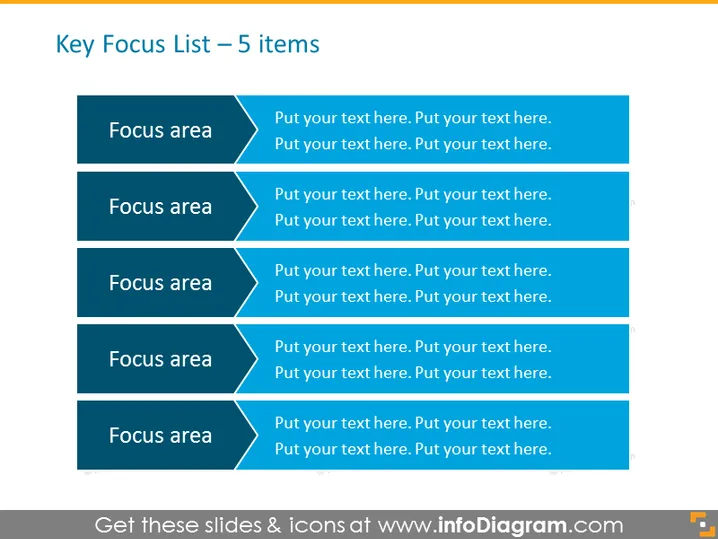
Key Focus List – 5 items
Slide Content
The slide is titled "Key Focus List – 5 items" and presents a structured way to list five key focus areas, each accompanied by a placeholder for additional descriptive text. Each focus area is presumably a category or aspect that requires attention or prioritization in a given context. The placeholders invite the presenter to add specific details relevant to the topic being discussed, which can include objectives, tasks, strategies, or any other pertinent information that fits into the focus areas.
Graphical Look
- The background color of the slide is a gradient of blue shades.
- Five horizontal banner-like shapes are staggered vertically down the slide.
- Each banner is dark blue with a lighter blue arrowhead on the left side.
- White text within each banner labels it as "Focus area."
- To the right of each banner is a white rectangular text box with placeholder text.
- The placeholder text reads "Put your text here. Put your text here." and is repeated four times in each box.
- The fonts used for the text are clean, sans-serif, and appear to be consistent throughout.
The slide has a clean and professional appearance with a clear hierarchy, emphasizing the division between the focus area titles and their respective descriptions.
Use Cases
- To break down strategic business objectives into manageable parts during a presentation to stakeholders.
- As an agenda slide to outline the main topics of discussion in a meeting or conference.
- For educational purposes, to define and explain key concepts or themes in a lecture.
- To summarize project plans, highlighting areas of importance for a team during a project kickoff meeting.
How to Edit
How to edit text & colors

How to expand / shorten diagram

How to Replace Icons in infoDiagram PPT


