
Reviews
Your graphics add a nice touch to my presentations and I recently used them for one of my all-hands meetings. Your toolbox adds professionalism to my slides. Instead of using standard clipart.
I needed a fresh look at some of my slides. I've tried to find a way to create a paintbrush effect, to underline, accentuate, add some color and the handwritten markers were just the things. Very easy to use, easy to size, change the color. It was an affordable, perfect solution and I'm happy to recommend it.
The crisp, clean look of the graphics, and the fact that it allowed me to easily edit and change the colors to match the template was my main reason for purchasing them.
Description
Slide Content
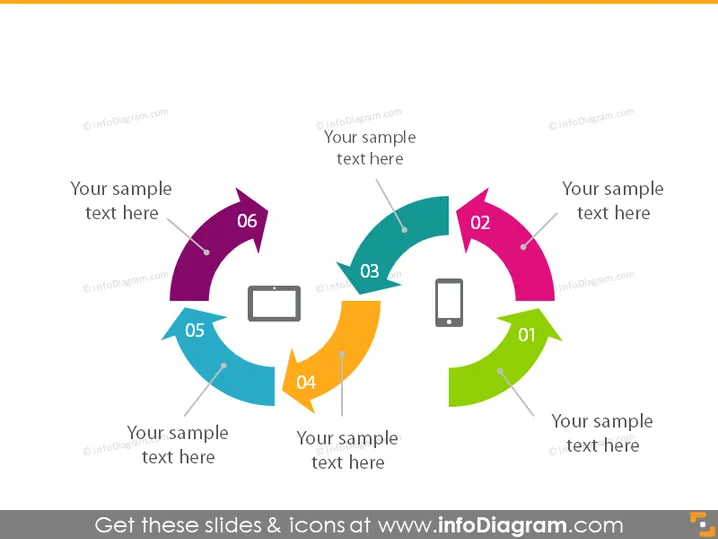
The slide appears to represent a six-step circular flow or process. Each step is denoted by an arrow pointing clockwise. Every arrow has a number and associated text placeholder, which implies that the diagram is meant to illustrate a sequence or a cycle of tasks, stages, or events where step 06 loops back to step 01.
Graphical Look
- The slide has a white background.
- The slide's central graphic is a circular flow diagram comprised of six colorful, curved arrows which connect end-to-end in a clockwise direction.
- Each arrow varies in color (starting from the top: dark green, pink, teal, orange, dark blue, and purple) to clearly distinguish the steps.
- There are six numbered labels ("01" to "06") corresponding to each step of the process, placed within or near each arrow.
- Inside or next to each arrow, there is a placeholder text "Your sample text here," suggesting the insertion of specific descriptions for each step.
- An icon accompanies each step, with images like a mobile phone or a laptop, suggesting the steps may involve technology or specific actions.
The overall look is clean and modern, with bright, contrasting colors and bold graphics to easily delineate each part of the process. The simplistic design makes it easy to follow, while the icons help to visually represent each step.
Use Cases
- To illustrate a business process or workflow during presentations.
- To explain the stages of a project lifecycle in a meeting.
- To outline a customer journey or user experience path for training or marketing purposes.
- To present a step-by-step guide or organizational structure during an educational seminar or workshop.
How to Edit
How to edit text & colors

How to expand / shorten diagram

How to Replace Icons in infoDiagram PPT


