
Reviews
Sus gráficos añaden un toque agradable a mis presentaciones y recientemente los usé para una de mis reuniones generales. Su conjunto de herramientas añade profesionalismo a mis diapositivas. En lugar de usar imágenes prediseñadas estándar.
Necesitaba un aspecto fresco para algunas de mis diapositivas. Había intentado encontrar una forma de crear un efecto de pincel, de subrayar, acentuar, añadir algo de color y los marcadores escritos a mano fueron justo lo que necesitaba. Muy fácil de usar, fácil de ajustar el tamaño, cambiar el color. Fue una solución asequible y perfecta, y estoy feliz de recomendarla.
El aspecto nítido y limpio de los gráficos, y el hecho de que me permitiera editar y cambiar fácilmente los colores para que coincidieran con la plantilla fue mi principal razón para comprarlos.
Description
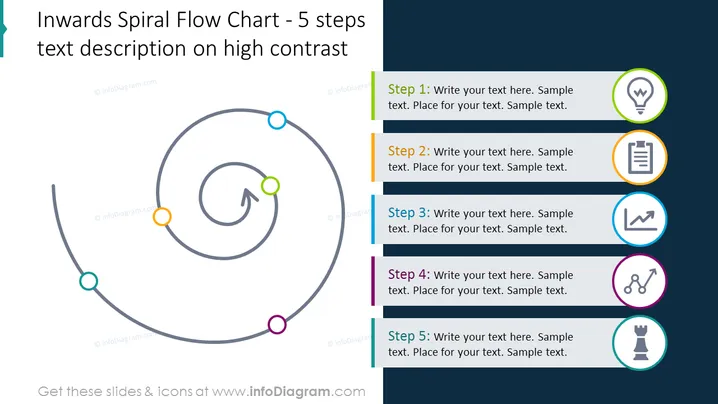
Inwards Spiral Flow Chart - 5 steps text description on high contrast
Slide Content
The slide presents a 5-step inwards spiral flow chart designed for text descriptions with a high contrast background. Each step is marked with a differently colored circle, a corresponding icon, and space for custom text. Step 1 is indicated with a light bulb icon, suggesting an idea or inception. Step 2 features a document icon, implying documentation or analysis. Step 3 uses a graph icon, pointing to measurement or progress. Step 4 has a gear icon, denoting a process or work phase. Finally, Step 5 is linked to a chess piece icon, indicating strategy or planning.
Graphical Look
- The title of the slide is "Inwards Spiral Flow Chart - 5 steps text description on high contrast".
- A large, gray, spiral flow chart graphic occupies the left side of the slide.
- Each step of the flow chart is denoted by a colored circle with corresponding icons next to each one.
- There is an arrow within the innermost part of the spiral indicating a clockwise direction or progression.
- The right side of the slide has five rectangles aligned vertically, each associated with the steps of the spiral.
- Each rectangle has a space for text and an icon representing the step's theme.
- The color of the circles and the side bars correspond, with the sequence going from orange, light blue, green, purple, to magenta.
- The icons within the circles are light bulb, document, graph/chart, gear, and chess piece, from top to bottom.
The slide is clean and modern, with a balanced mix of text, icons, and infographic elements. The contrasting colors against the dark background make the information stand out clearly.
Use Cases
- Outlining the stages of a project or process in a business presentation.
- Describing a sequence of events or actions in a marketing strategy.
- Illustrating a step-by-step approach to problem -solving or product development.
- Presenting a condensed version of a business plan or proposal to highlight key phases.
How to Edit
How to edit text & colors

How to expand / shorten diagram

How to Replace Icons in infoDiagram PPT


