
Reviews
Your slides are my "secret sauce" when it comes to presenting my ideas to clients. I save a lot of time.
J'avais un délai de livraison à respecter et je n'avais pas le temps de créer une variété de modèles de diapositives. Infodiagram m'a proposé des options faciles à télécharger et à personnaliser en fonction de mes besoins !
Vos diapositives suscitent souvent de précieux commentaires et idées de la part de mon équipe, ce qui améliore les diapositives finales.
Description
Since there is no title present in the image you've provided, I'll proceed with the content description and graphical analysis.
Slide Content
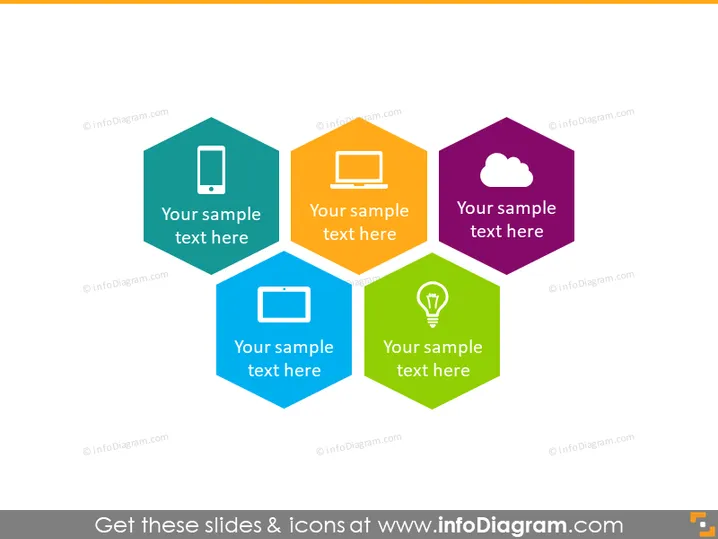
The slide appears to display a set of four hexagonal icons, each representing a different concept or topic. The first icon is a mobile phone, suggesting a topic related to mobile technology or communication. The second icon shows a desktop monitor, which may represent computer technology or desktop applications. The third is a cloud symbol, indicating cloud computing or internet services. The last icon incorporates a light bulb, possibly symbolizing ideas, innovation, or energy solutions. Each icon is accompanied by a placeholder text that says "Your sample text here," which is meant to be replaced with specific information related to the individual icons.
Graphical Look
- The slide features a clean and modern design with a white background.
- There are four hexagonal shapes arranged in a two-by-two grid.
- Each hexagon has a distinct color: teal, orange, purple, and green.
- Inside each hexagon is a white icon: a mobile phone, a monitor, a cloud, and a light bulb, respectively.
- Beneath each icon is a placeholder text in a sans-serif font.
- The hexagons cast a subtle shadow, creating a sense of depth.
The overall look of the slide is colorful and engaging, with easily recognizable icons that add to the visual appeal. The use of hexagons conveys connectivity and structure.
Use Cases
- Illustrating different service offerings or product categories in a company's portfolio.
- Introducing topics in an educational presentation, each linked to a specific area of discussion.
- Highlighting key points or features in a marketing pitch to potential clients or investors.
- Providing a visual summary of different technology components in an IT infrastructure presentation.
How to Edit
How to edit text & colors

How to expand / shorten diagram

How to Replace Icons in infoDiagram PPT


