
Reviews
Your slides are my 'secret sauce' when it comes to visualising my ideas to clients. I'm saving so much time.
InfoDiagram has been a wonderful resource since I found the product site a few years ago.
Your slides often generate good comments and ideas from my team that improve the final slides.
Description
Slide Content
Slide Content
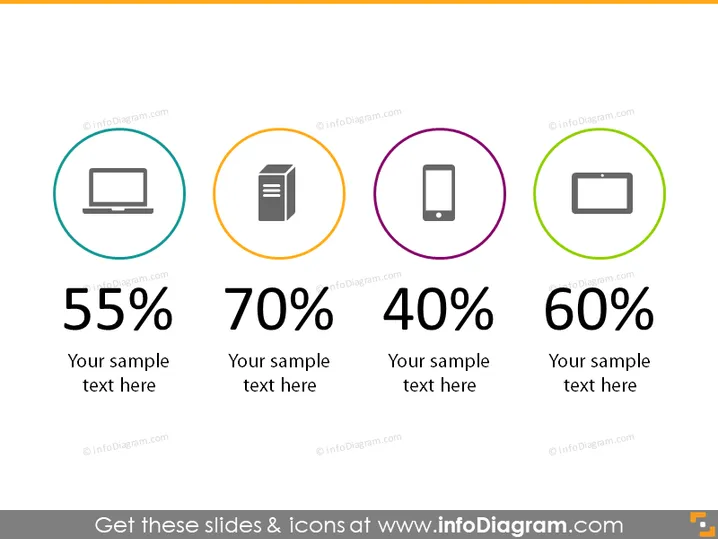
This slide illustrates percentage distribution across four categories represented by icons: a desktop computer, a stack of papers, a mobile phone, and a battery. Each category has a unique color-coded circle with a percentage and placeholder text "Your sample text here." The depicted percentages are 55%, 70%, 40%, and 60%, possibly indicative of resources allocated, survey results, or performance metrics for those categories.
Graphical Look
- The slide has a minimalist design with a plain white background.
- Four colored circular shapes act as borders for icons: teal for a desktop computer, orange for a stack of papers, purple for a mobile phone, and green for a battery.
- Icons are simple and depict common technology and business items.
- Large bold percentages are displayed in black font in the middle of each circle.
- Under each percentage, there's a placeholder for text in a smaller font size, italicized.
- There is ample white space around the circular elements, contributing to an uncluttered look.
The overall look of the slide is clean and modern, with a clear focus on data representation through the use of colorful circles and icons. The design is conducive to easy interpretation and serves to emphasize the key figures presented.
Use Cases
- To depict and compare key statistics or metrics in a business report or presentation.
- To visually represent survey results in a marketing strategy meeting.
- To showcase performance indicators in different categories during a quarterly business review.
- To illustrate data points in an infographic format for an educational or training session.
How to Edit
How to edit text & colors

How to expand / shorten diagram

How to Replace Icons in infoDiagram PPT


