
Reviews
Ihre Grafiken verleihen meinen Präsentationen eine nette Note, und ich habe sie kürzlich für eines meiner All-Hands-Meetings verwendet. Ihre Toolbox verleiht meinen Folien Professionalität, anstatt Standard-Clipart zu verwenden.
Ich brauchte einen neuen Blick auf einige meiner Folien. Ich habe versucht, einen Weg zu finden, einen Pinselschlag-Effekt zu erzielen, um zu unterstreichen, hervorzuheben, Farbe hinzuzufügen, und die handgeschriebenen Markierungen waren genau das Richtige. Sehr einfach zu bedienen, leicht in der Größe zu ändern, die Farbe zu ändern. Es war eine erschwingliche, perfekte Lösung und ich empfehle sie gerne weiter.
Die klare, saubere Optik der Grafiken und die Tatsache, dass ich die Farben leicht bearbeiten und an die Vorlage anpassen konnte, war mein Hauptgrund für den Kauf.
Description
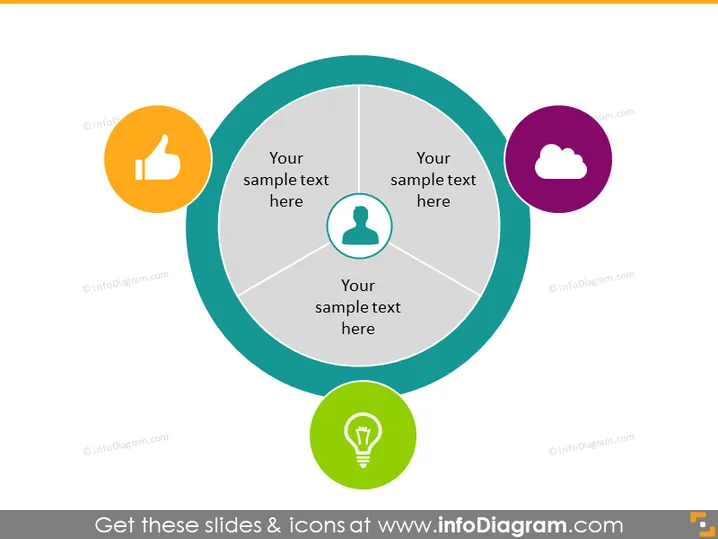
Your sample text here
Slide Content
The PowerPoint slide seems to be a template for presenting four different concepts or elements related to a central topic. Each segment contains the placeholder, "Your sample text here," suggesting the slide is designed for customization. For instance, the thumb icon could represent approval or a positive aspect while the cloud might be associated with technology or data concepts. The silhouette might indicate a user or personal element, and the light bulb typically symbolizes ideas or innovation.
Graphical Look
- The slide features a central circular graphic divided into four equal segments.
- Each segment is connected to a colored circle with an icon inside, signifying a different concept.
- Icons include a thumbs-up, a person's silhouette, a cloud, and a light bulb, likely representing positive feedback, user or demographic information, tech or cloud services, and ideas or innovation, respectively.
- The colors of the icons' backgrounds are distinctive, varying from orange, teal, purple, to green, possibly to provide a visually stimulating contrast and help distinguish the presented elements.
- The backdrop of the slide is plain white, which emphasizes the color and design of the central graphic.
- There are no decorative elements or additional graphics, which contributes to a focused and professional look.
The overall look of the slide is clean and modern, with visual elements that are easily identifiable and can be associated with common business concepts or values. Its simple design is likely to keep the audience's attention on the content it is meant to deliver.
Use Cases
- To present the components of a business strategy where each concept requires equal emphasis.
- In a marketing presentation to highlight different aspects of a product or service.
- During a project kickoff meeting to illustrate the key areas of focus for team collaboration.
- As a visual agenda to outline the main topics to be discussed in a workshop or seminar.
How to Edit
How to edit text & colors

How to expand / shorten diagram

How to Replace Icons in infoDiagram PPT


