
Reviews
Ihre Grafiken verleihen meinen Präsentationen eine nette Note, und ich habe sie kürzlich für eines meiner All-Hands-Meetings verwendet. Ihre Toolbox verleiht meinen Folien Professionalität, anstatt Standard-Clipart zu verwenden.
Ich brauchte einen neuen Blick auf einige meiner Folien. Ich habe versucht, einen Weg zu finden, einen Pinselschlag-Effekt zu erzielen, um zu unterstreichen, hervorzuheben, Farbe hinzuzufügen, und die handgeschriebenen Markierungen waren genau das Richtige. Sehr einfach zu bedienen, leicht in der Größe zu ändern, die Farbe zu ändern. Es war eine erschwingliche, perfekte Lösung und ich empfehle sie gerne weiter.
Die klare, saubere Optik der Grafiken und die Tatsache, dass ich die Farben leicht bearbeiten und an die Vorlage anpassen konnte, war mein Hauptgrund für den Kauf.
Description
Text Content 3 Products Comparison Table Outline
Slide Content
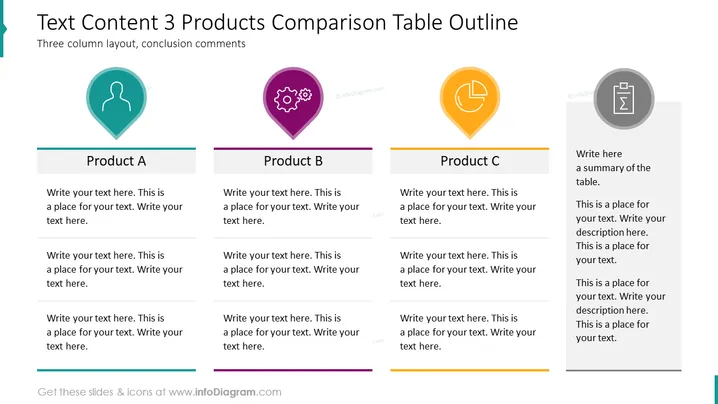
This PowerPoint slide is titled "Text Content 3 Products Comparison Table Outline" and it features a three-column layout for comparing three different products, labeled "Product A," "Product B," and "Product C." Each column has space for an icon, a placeholder for the product title, and three separate text areas meant for detailed descriptions or key points about each product. To the right, there is a dedicated section for a conclusion or summary comments about the compared products.
Graphical Look
- The slide background is plain white.
- At the top, the slide title is written in bold, black font.
- Three columns are visually defined by distinct colors: teal, purple, and orange.
- Each column has a large, colorful icon at the top: a teal person silhouette in a location pin, a purple gear in a location pin, and an orange clock in a location pin.
- Below each icon, there's a rectangular banner with a lighter shade of the column color, containing the product title.
- Each column contains three separate text boxes with placeholder text, spaced out evenly.
- Horizontal dividers separate the text boxes within each column.
- The rightmost part of the slide contains a gray circle with an icon of a document, indicating the conclusion or summary section, with a large text box adjacent to it.
The overall look is clean and modern, with colorful icons and text areas that immediately draw attention to each product’s description. The use of location pins for the icons adds a subtle theme of pinpointing features or locations that are associated with each product.
Use Cases
- Comparing features or benefits of multiple products during a sales presentation.
- Analyzing the pros and cons of different business strategies or proposals in a meeting.
- Presenting market research findings to stakeholders, focusing on competitor analysis.
- Showcasing pricing tiers or service levels to potential customers or investors.
How to Edit
How to edit text & colors

How to expand / shorten diagram

How to Replace Icons in infoDiagram PPT


