
Your graphics add a nice touch to my presentations and I recently used them for one of my all-hands meetings. Your toolbox adds professionalism to my slides. Instead of using standard clipart.
Claude Jones, Director of Engineer, @Walmartlabs, USA
Your graphics add a nice touch to my presentations and I recently used them for one of my all-hands meetings. Your toolbox adds professionalism to my slides. Instead of using standard clipart.
Claude Jones, Director of Engineer, @Walmartlabs, USA
I needed a fresh look at some of my slides. I've tried to find a way to create a paintbrush effect, to underline, accentuate, add some color and the handwritten markers were just the things. Very easy to use, easy to size, change the color. It was an affordable, perfect solution and I'm happy to recommend it.
Anonymous, US
The crisp, clean look of the graphics, and the fact that it allowed me to easily edit and change the colors to match the template was my main reason for purchasing them.
Brandie Jenkins, E-learning Developer, USA
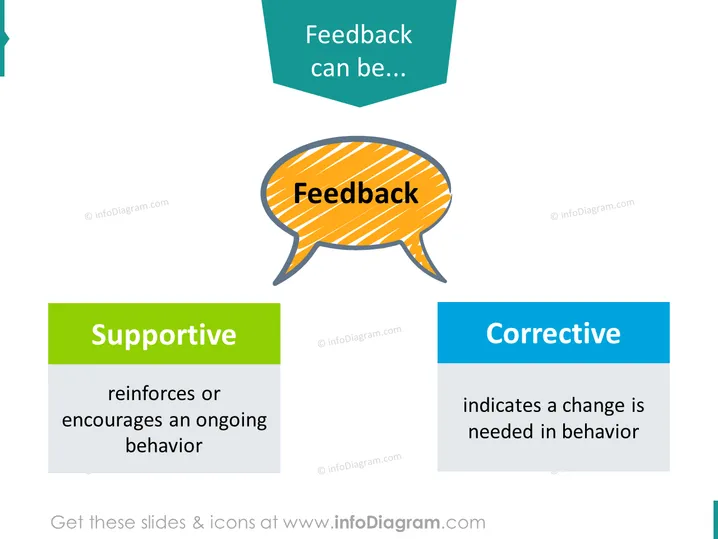
O slide do PowerPoint apresenta o tema do feedback, discutindo dois tipos diferentes: "Apoio" e "Corretivo." O feedback de apoio é descrito como um reforço ou incentivo a um comportamento em andamento, essencialmente um feedback que motiva e promove a continuação de ações positivas. O feedback corretivo, por outro lado, indica que uma mudança é necessária no comportamento, sugerindo que é destinado a redirecionar ou melhorar as ações de uma pessoa.
O slide utiliza cores brilhantes e contrastantes para distinguir diferentes seções e manter o interesse visual. O layout é simples e foca a atenção no conceito de feedback.




