
Your graphics add a nice touch to my presentations and I recently used them for one of my all-hands meetings. Your toolbox adds professionalism to my slides. Instead of using standard clipart.
Claude Jones, Director of Engineer, @Walmartlabs, USA
Your graphics add a nice touch to my presentations and I recently used them for one of my all-hands meetings. Your toolbox adds professionalism to my slides. Instead of using standard clipart.
Claude Jones, Director of Engineer, @Walmartlabs, USA
I needed a fresh look at some of my slides. I've tried to find a way to create a paintbrush effect, to underline, accentuate, add some color and the handwritten markers were just the things. Very easy to use, easy to size, change the color. It was an affordable, perfect solution and I'm happy to recommend it.
Anonymous, US
The crisp, clean look of the graphics, and the fact that it allowed me to easily edit and change the colors to match the template was my main reason for purchasing them.
Brandie Jenkins, E-learning Developer, USA
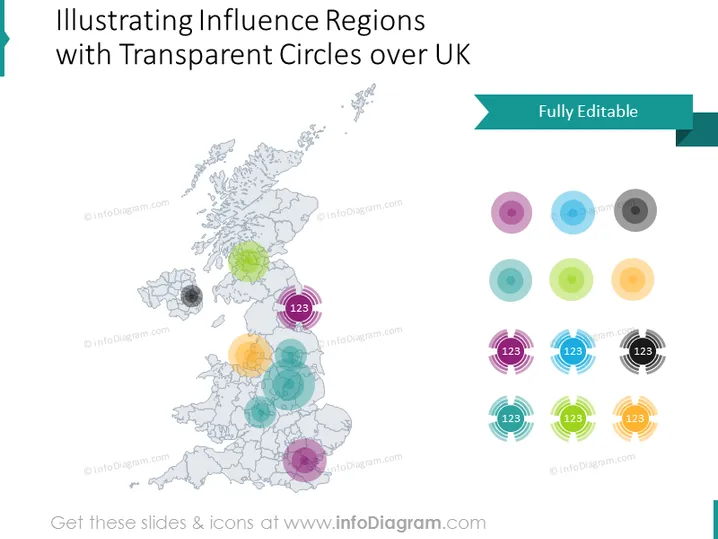
O slide do PowerPoint parece ser uma ferramenta visual para ilustrar várias regiões de influência em um mapa do Reino Unido, usando círculos coloridos transparentes com rótulos numéricos. Cada círculo pode representar uma região ou área de influência diferente, com a transparência possivelmente sugerindo a força ou intensidade da influência. Números maiores dentro de alguns círculos implicam uma classificação ou avaliação quantitativa da importância ou impacto de cada região.
A aparência geral do slide é profissional e limpa, com um uso equilibrado de cor e espaço. Os círculos transparentes com números fornecem uma representação visual fácil de entender dos dados.




